
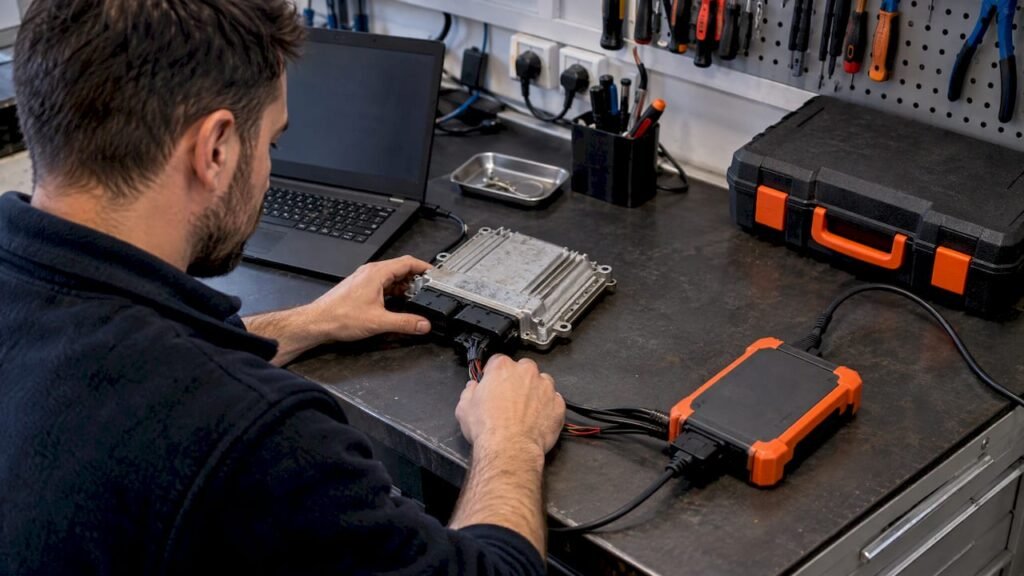
ECU data transfer means moving the contents of one control unit’s memory (flash, EEPROM and sometimes other areas) onto another unit, or restoring that memory from a saved file. How much you can move depends on what you have: a full read of the original unit, a flash-only read, or nothing but a known-good stock file. When the original unit is dead or its software is corrupted, a stock file matched to the exact hardware, software and calibration identifiers is the starting reference for recovery. Original ECU Files supplies those stock files in .bin format at a fixed €19.99 per file.
This guide is for technicians who repair, replace, clone or restore ECUs. It covers what a transfer actually involves, how to decide whether a stock file is the right input, and where the process fails.
TL;DR
- A transfer is only as good as its source: a full read of the original unit carries more than a flash-only read, and a stock file carries only the software as released.
- Match hardware number, software number and calibration ID against your own ECU read before using any file. A similar part number is not a match.
- File size, memory layout, checksum handling and read/write procedure vary by ECU family, software version and tool. There is no universal procedure.
- Vehicle-specific data such as immobilizer, VIN or learned values may live in EEPROM or other areas that a flash-only file does not contain.
- Original ECU Files sells unmodified stock .bin files only. It is not a tuning, programming or diagnostic support service.
Table of Contents
- What “ECU data transfer” actually covers
- What lives in an ECU’s memory
- Full read vs. flash-only read
- Why a stock file is not a clone
- Matching identifiers: the step that decides everything
- File size, memory layout and checksums
- Bench, boot and OBD: how the data gets in and out
- A working routine for recovery or replacement
- Where Original ECU Files fits
- Recovering lost ECU data: what is realistic
- Commercial vehicles and agricultural machinery
- FAQ
- Sources
What “ECU data transfer” actually covers
The phrase gets used for three different jobs, and mixing them up is the most common cause of a failed repair.
- Cloning: you have a donor (the original unit) and a replacement. Data is read from the donor and written to the replacement so the vehicle-specific information carries over where the hardware allows it.
- Restoration: the unit is alive but its software is corrupted or was overwritten with something wrong. You write a known-good original back to the same unit.
- Recovery from nothing: the original unit is dead, was never backed up, or its memory cannot be read. You need a reference image from another source to rebuild a working software state.
Cases 1 and 2 start from the vehicle’s own data. Case 3 is where a stock file from a database comes in, and it is the case the rest of this article keeps returning to, because it has the tightest constraints on identification.
What lives in an ECU’s memory
Most engine control units split their non-volatile memory into areas with different roles. The exact split depends on the family, so treat the following as the general pattern, not a specification for any particular unit.
| Memory area | Typical role | Carried by a flash-only read? |
|---|---|---|
| Program flash | Executable software and calibration data | Yes, if the tool reads the whole flash |
| Calibration region | Maps and parameters, sometimes a separate block inside flash | Depends on the tool and the family |
| EEPROM or data flash | Vehicle-specific data, which on many units includes immobilizer-related and learned values | Usually no |
| Boot area | Bootloader, sometimes locked from normal access | Depends on the mode used |
The column on the right is deliberately cautious. Whether a given unit keeps its VIN, key data or adaptation values in flash, in EEPROM, or in a separate security chip is an ECU-family question. Check the documentation for your tool and your specific ECU before assuming.
Full read vs. flash-only read
This distinction decides what you can restore.
A full read captures every area the tool can reach on that unit: program flash, calibration areas, and EEPROM or data flash where the family has one. Workshops commonly pull this kind of dump through bench or boot mode when the unit cannot be accessed through the vehicle connector. A forum thread on a bench read describes the same approach: request bootloader access, read the full flash, calibration areas and EEPROM, and save the files redundantly. Treat that as an example of one family’s workflow, not a procedure for every ECU.
A flash-only read captures the program memory and nothing else. It is quicker and is often what an OBD-connected tool offers. The result is enough to restore software on the same unit, but it does not necessarily hold the EEPROM content that ties a unit to a vehicle.
What this means in practice:
- If you hold a full read of the original, a transfer to a compatible replacement can carry vehicle-specific data, subject to the replacement’s hardware and its security.
- If you hold only a flash read, you can restore software, and the vehicle-specific data may need to be dealt with separately.
- If you hold only a stock file, you have the software as released. It is not an image of this vehicle’s unit.
And always read before you write. A backup taken before the first write is the single cheapest insurance in this work, and it is the one step technicians skip when they are sure the file is right.
Why a stock file is not a clone
A stock (original, unmodified) file is a software reference. It does not know the VIN of the car in your bay, the immobilizer pairing, or the values the original unit learned over its life. It is useful in these situations:
- The original ECU’s software is corrupted, and you need the original software for that hardware and software version.
- A previous write failed or a modified file was installed, and the unit has to go back to its original software state.
- You are replacing an ECU and need the correct original software as the base for the replacement unit.
- You need an original reference to compare against a read, for example to see what differs between a stock and a changed file.
It does not replace the need to handle vehicle-specific data on the replacement. Whether that means copying EEPROM from the donor, using the manufacturer’s procedure, or another method depends on the ECU and the vehicle. We do not offer that procedure, and no responsible source can give you one universal path.
Matching identifiers: the step that decides everything
The correct file is the one whose identifiers match your unit’s read. Three identifiers do most of the work.
| Identifier | What it tells you | Where you find it |
|---|---|---|
| Hardware number (HW) | The physical board revision | Label on the unit and in the identification data your tool reads |
| Software number (SW) | The software version loaded | Identification data from the tool read |
| Calibration ID | The calibration set within that software | Identification data from the tool read, or inside the file |
Other identifiers can exist as well: ECU manufacturer, ECU type, engine variant and the vehicle’s brand and model. The catalog at Original ECU Files can be searched by all of these, including HW, SW and calibration ID, so you can enter what your read reports and compare the result.
Some habits that prevent expensive mistakes:
- Compare against the read, not the label alone. A label can be partial or from a repaired unit. The data your tool reads from the ECU is the reference.
- Match the full string. A software number that differs by one character is a different version. Do not assume it behaves the same.
- Check the calibration ID. Two units with the same hardware and software number can carry different calibration sets.
- Verify before you buy. Confirm that the identifiers in the listing match your unit’s read before you order. A digital file cannot be returned to the shelf once delivered.
- Keep notes. Record the identifiers, the tool and version, and the date next to the backup, so you can trace a problem later.
If the listing’s identifiers are not the same as your read, the file is not your file. Searching again by a different identifier is better than settling for a close one.
File size, memory layout and checksums
A correct file can still fail to write if the process does not suit the unit. Three variables matter.
File size. A full dump and a flash-only dump of the same ECU have different sizes, and different families have different sizes again. A file that does not match the size your tool expects for that read type is a signal to stop and find out why, not to force it.
Memory layout. Flash is divided into sectors and regions, and the way a tool addresses them varies by ECU family and by tool. Some tools write the whole image. Others write only selected regions, and may need the file in the form that tool expects.
Checksums. Many ECUs verify the integrity of their software and calibration with checksums, and a unit can refuse to start, or enter a limited state, if they do not validate. Whether the checksum has to be corrected, and by which method, depends on the family and the software version. Tools often run a checksum step automatically after a read, as the thread cited above notes, but what your tool does on write is a question for that tool’s documentation.
Original ECU Files delivers unmodified stock .bin files. Nothing in a stock file means a checksum step can be skipped on your platform, and we make no universal claim about what any tool will accept. Read your tool’s documentation for the ECU you are working on.
Bench, boot and OBD: how the data gets in and out
The route used to read and write depends on the ECU and its protection.
- OBD (in-vehicle). Quickest where the family supports it. The unit stays in the car, so you need the vehicle supply stable and the connector area secure. Some workshops fit an OBD port protection switch on vehicles where the diagnostic socket is a concern, which is worth knowing when you are working on a customer’s car that has one.
- Bench mode. The ECU is removed and connected to the tool through a harness. It reaches areas that the OBD route may not and is the usual choice when the unit does not respond in the vehicle.
- Boot mode. Uses the processor’s bootloader to gain access. It is specific to the processor family, and the connection points vary.
In each case, power stability matters. An interrupted write can leave a unit that no longer responds, which is exactly the situation where an original file and a bench connection become necessary. Use a stable supply for the duration, and do not start a write unless the backup is saved in two places.
A working routine for recovery or replacement
There is no universal procedure, but a defensible order of operations looks like this. Adapt every step to your ECU and tool.
- Identify the unit. Record the label data and read the identification data with your tool. Note HW, SW, calibration ID and any other identifiers.
- Read what you can. If the unit responds, take a full read where the tool and family allow it, and a flash read where they do not. Save two copies, labeled with the identifiers.
- Decide what you are restoring. Software only, or software plus vehicle-specific data. This determines whether a stock file is enough or whether you also need the donor’s EEPROM content.
- Find the matching original. If you have no usable read, search the catalog by the identifiers you recorded, and compare the HW, SW and calibration ID in the listing with your read before ordering.
- Check the file against your tool. Confirm the size and format the tool expects for your write method.
- Write with a stable supply, following your tool’s procedure for that ECU family, including any checksum step the tool requires.
- Verify. Read back, compare with the file, and confirm the unit identifies itself as expected before it goes back in the vehicle.
- Handle vehicle-specific data and adaptations according to the manufacturer’s or tool maker’s method for that vehicle.
Step 4 is where Original ECU Files fits. The rest depends on you, your tools, and the documentation for the ECU.
Where Original ECU Files fits
Original ECU Files is an online database of original, unmodified ECU software files, with over 196,000 files across more than 500 vehicle brands. It covers passenger cars, commercial vehicles, motorcycles and agricultural machinery. You can search by brand, model, engine variant, ECU manufacturer, ECU type, hardware number, software number and calibration ID.
Every file is sold individually at a fixed price of €19.99. Payment runs through Stripe checkout, and the download link is emailed automatically once Stripe confirms payment.
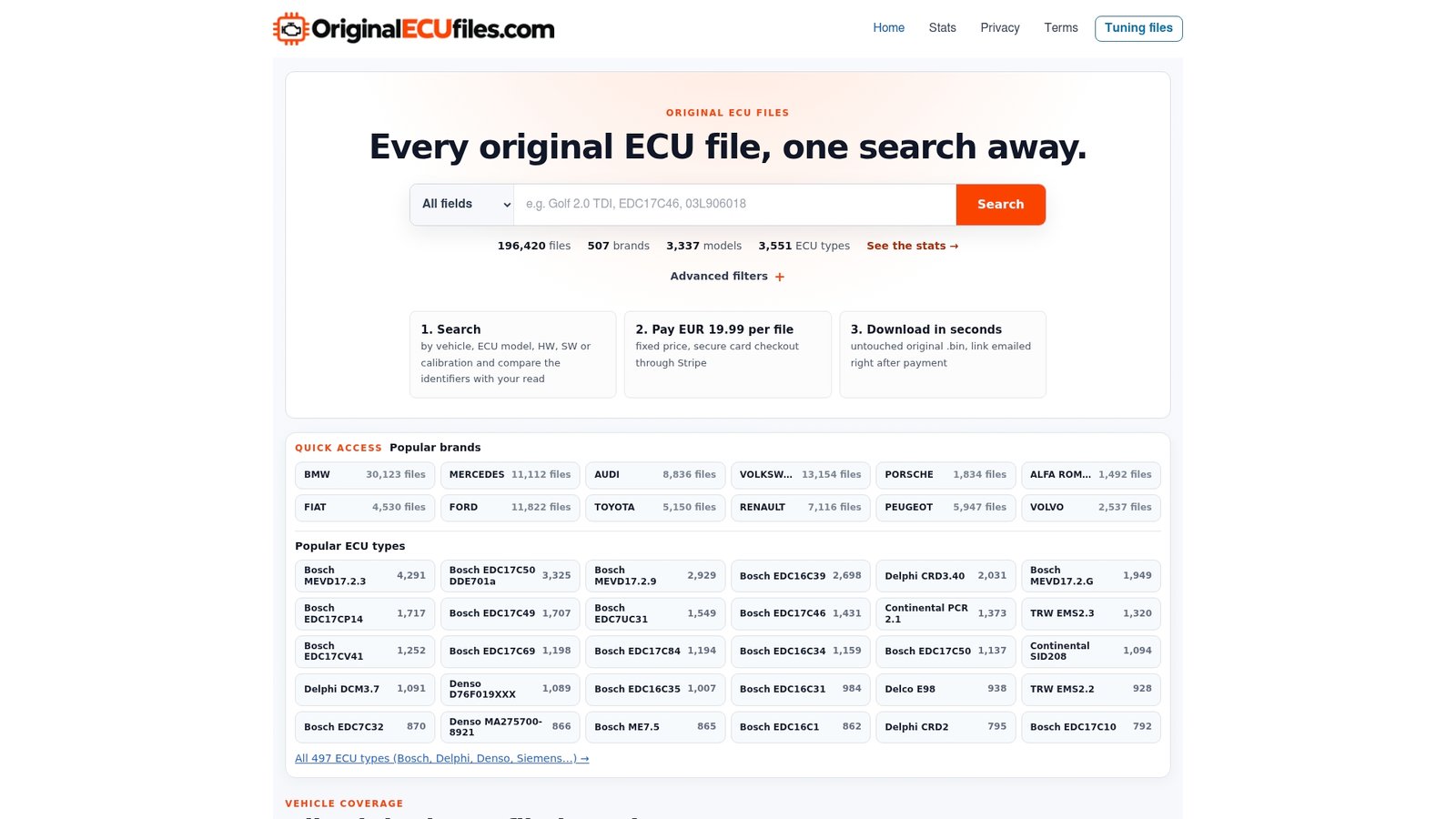
If you already have your unit’s identifiers, start on the Original ECU Files catalog. Browsing by ECU manufacturer is available on the ECU type page for Bosch, Delphi and Denso, and there are brand pages for commercial and agricultural makes such as MAN and Case, as well as passenger brands such as Ford and Buick.
Two boundaries so there is no ambiguity. We supply stock .bin files only, not modified tuning maps. We are not a tuning service, a programming service or a diagnostic support provider, and DAMOS or A2L files are not included with original downloads.

Recovering lost ECU data: what is realistic
When a unit’s data seems lost, sort the situation first.
- The unit still responds. Read it before doing anything else. A full read, even of a damaged software state, is a better starting point than any generic file because it contains the vehicle’s own data.
- The software is corrupted but the unit can be reached on the bench. A matching original file gives you the software to write back. Vehicle-specific data then has to be dealt with separately, depending on whether it is stored in an area your write touches.
- The unit is physically damaged. A stock file does not repair hardware. Replacement hardware needs the correct original software, and the vehicle-specific data question applies again.
- You have an old backup. If it is a full read from the same vehicle, it is more valuable than a catalog file. Identify it by its identifiers and use it first.
The pattern is consistent: the closer the source is to the original unit, the more of its data you can bring back. A stock file is the reference for the software layer.
Commercial vehicles and agricultural machinery
Heavy-duty and off-highway ECUs tend to be less forgiving of guesswork, because the same engine family can appear across several machines with different hardware revisions and calibration sets. The identifier discipline above matters even more: a match on engine variant alone is not enough. The catalog includes brand pages for makers such as MAN, Case, Hagie and GMC, and you can search by ECU manufacturer, type and identifiers. Availability for a specific unit is shown in the search results, so confirm there.
FAQ
Can I transfer data from one ECU to another?
Sometimes. It depends on the ECU family, the tool, and whether the replacement’s hardware and security allow it. A full read of the donor carries the most data. A flash-only read carries the software but may leave out EEPROM content that links the unit to the vehicle. Follow the procedure your tool documents for that specific ECU.
Can I use a stock file instead of a read of my own ECU?
A stock file gives you the original software for matching hardware, software and calibration identifiers. It is not an image of your vehicle’s unit, so it does not contain that vehicle’s own data. Compare the HW, SW and calibration ID of the file with your ECU read before using it.
What is the difference between a full read and a flash-only read?
A full read captures all the areas the tool can reach, including EEPROM or data flash where the unit has one. A flash-only read captures program memory only. File size differs between the two, and so does what you can restore.
Do I need to correct checksums when I write a file?
That depends on the ECU family, the software version and the tool. Some tools handle checksums automatically, others do not, and some units need nothing. Check your tool’s documentation for the exact unit. Original ECU Files provides unmodified stock .bin files and does not state a universal rule.
How do I receive a file after buying?
Pay through the Stripe checkout. The download link is emailed automatically after Stripe confirms payment, at the fixed price of €19.99 per file.