
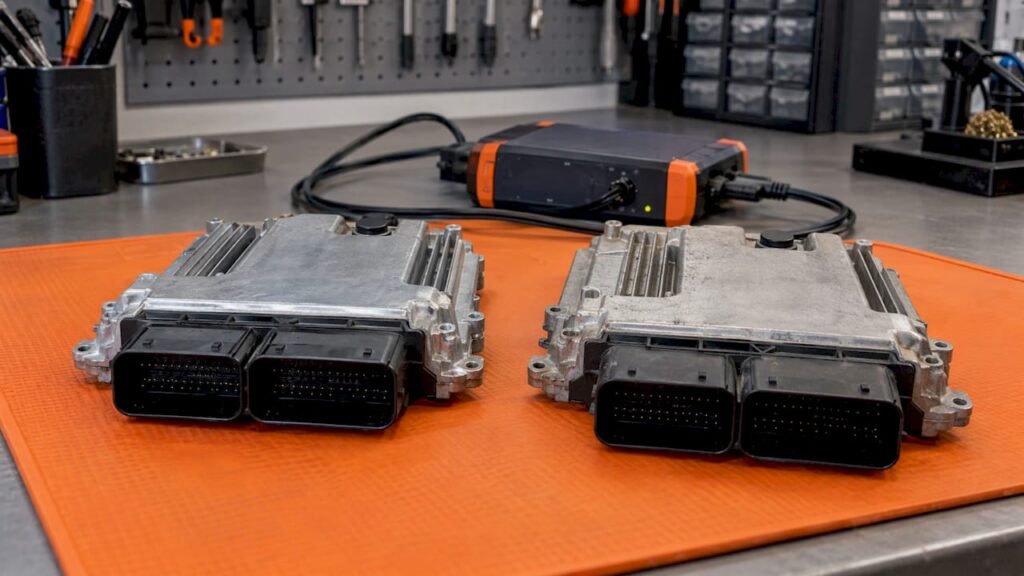
A clone needs a complete read of the original ECU, not just a flash file, plus a donor whose hardware matches the original. The data must come from the original unit’s own memory: flash for the software, and EEPROM or an equivalent area for the vehicle-specific and security data. Before anything is written, the hardware number, software number, calibration ID and memory layout of both units must be compared against your actual read. This article lists what to read, what to compare and what to check afterward. It also shows where an original (stock) ECU software file fits, and where it does not.
TL;DR
- A clone moves a unit’s identity to a replacement. That means flash plus the EEPROM, immobilizer and VIN data where the platform keeps them, not the flash alone.
- A flash-only read can restore or compare software, but it is not enough for a full clone on platforms that keep vehicle data in a separate memory area.
- Compare hardware number, software number, calibration ID and processor or memory layout on your own read of both units. Never assume compatibility from appearance or from a matching software number alone.
- File size, memory map, checksums and the read/write procedure differ by ECU family, software version and tool, so follow your tool’s documentation for the exact unit.
- A stock .bin file is a software reference. It does not carry the vehicle’s own immobilizer or EEPROM identity.
Table of Contents
- What an ECU clone actually transfers
- Files to read from the original ECU
- Full read versus flash-only read
- Identifiers to compare before you write anything
- When the donor and original do not match
- Tool, protocol and file-handling requirements
- Where an original stock file fits
- After the write: coding and verification
- Pre-write checklist
- FAQ
- Sources
What an ECU clone actually transfers
Cloning means reading a source ECU and writing its data to a replacement so that the replacement behaves as the original did in that vehicle. Microtronik’s HexProg II manual describes its clone function as capturing internal flash, EEPROM and external memory into a backup file that can then be written to a donor ECU, in Bench or Boot mode.
Two memory domains matter in practice:
- Flash (or micro) memory: the operating software and calibration data.
- EEPROM or equivalent persistent memory: on many platforms this holds the immobilizer data, VIN and other vehicle-specific values. Some ECUs keep the equivalent data inside the microcontroller or in external memory instead.
Which of these areas exist, and how they are read, depends on the ECU family. That is why the requirement list below is a framework, not a universal procedure.
Cloning is also not remapping and not VIN programming. A clone copies an existing unit’s data. A tuning file changes calibration on a working unit. Programming may use a prepared file and selected read/write operations. A successful write does not by itself prove a complete clone: communication, identification and vehicle operation still have to be verified.
Files to read from the original ECU
Save every area your tool can read from the original, with clear names, before touching the donor. A typical set looks like this. The exact areas depend on the ECU.
| Data area | What it usually represents | Example file name |
|---|---|---|
| Flash / micro | Operating software, maps, calibration | Vehicle_ECU_original_flash.bin |
| EEPROM | Immobilizer data, VIN, security data, in some units odometer | Vehicle_ECU_original_eeprom.bin |
| External memory | Present only on some designs | Vehicle_ECU_original_ext.bin |
| Identification report | HW, SW, calibration and part numbers as reported by the unit | Vehicle_ECU_ident.txt |
| Donor read | Untouched read of the replacement before any write | Vehicle_ECU_replacement_read.bin |
The file names are examples of a naming habit, not a standard. Keep each job in its own folder and keep one untouched copy of every original read outside the folder you edit in. Reading the donor before writing gives you a way back and a record of its hardware and software.
Two hard limits apply to the source. First, the original must still be readable: if memory is physically destroyed, there is nothing to copy. Second, some newer platforms are locked or protected so that a full read or a clone is not possible with ordinary workshop tools, or only after a protection step specific to that platform. Check what your tool supports for that exact ECU before quoting a customer.
Full read versus flash-only read
This distinction decides most failed clone jobs.
| Full read | Flash-only read | |
|---|---|---|
| Covers | Flash plus EEPROM and other areas the platform keeps (microcontroller data, external memory) | Program and calibration memory only |
| Suited to | Cloning, where the replacement must take over the unit’s identity | Software comparison, restoring software, reference work |
| Risk if used for cloning | Lower, if the tool and procedure are supported for the unit | The replacement may run the right software but not carry the vehicle’s security and configuration data |
On some processor families the tool needs both the original and the donor flash files and builds the clone file from them. FG Technology’s EOBD2 clone function works that way for certain TriCore-based Bosch, Siemens and Continental ECUs: you load the internal flash files of the original and the new unit, and the software creates the file to write to the new ECU. Its release note lists the supported types. That is a tool-specific route, so confirm your unit and your tool version against the vendor’s list, not against this article.
The lesson: ask first what your tool needs for that ECU (a full read of one unit, reads of both, or a dedicated clone function), then collect exactly that.
Identifiers to compare before you write anything
Compare the identifiers on your own read of the original and the donor with the identifiers on any file you plan to use. Do not rely on a label on the housing or a seller’s description alone.
| Identifier | What it tells you | Why it matters for cloning |
|---|---|---|
| Hardware number (HW) | The physical configuration of the unit | Must match for a clone in most cases |
| Software number (SW) | The software version stored in flash | Often can differ on the donor, because the software is what gets written. Platform-dependent |
| Calibration ID | The calibration set inside the software | Distinguishes variants that share a software number |
| ECU manufacturer and type | The family, such as a specific Bosch or Delphi ECU | Sets the memory layout, tool support and checksum handling |
| Processor and memory structure | The architecture and which areas can be transferred | Decides whether a full backup can be written safely |
| Vehicle brand, model, engine | Application context | Confirms you are on the right vehicle, not proof of compatibility |
Several of these are readable over the diagnostic link. The ISO 14229 (UDS) standard defines data identifiers for ECU identity, and the ECUmulator Studio manual lists them, including 0xF187 spare part number, 0xF188 software version, 0xF189 hardware version, 0xF18C ECU serial number and 0xF190 VIN. Not every ECU answers every identifier, and older KWP2000 (ISO 14230) units use different identifier categories, so what your tool displays may not match across families. If you read identification data with a pass-through interface, the workflow in diagnostics without OEM tools shows how shops approach reading identification data before moving to deeper work.
Be careful which number you treat as the part number. A software number quoted in place of a hardware number can match many units that are not interchangeable. Always record all of them and compare each one.
When the donor and original do not match
The general rule across the vendor documentation is that hardware has to match, while software is what gets transferred. The details are platform-specific.
NeuroSuite’s EEPROM Editor documentation states its VAG cloning requirements: two ECUs with the same hardware number, complete Bench or Boot backups of both (flash and EEPROM), and the original ECU’s soft coding. Its worked example uses a replacement with the same hardware but a different software version. In that case the original flash is written to the replacement so that both run the same software and immobilizer data.
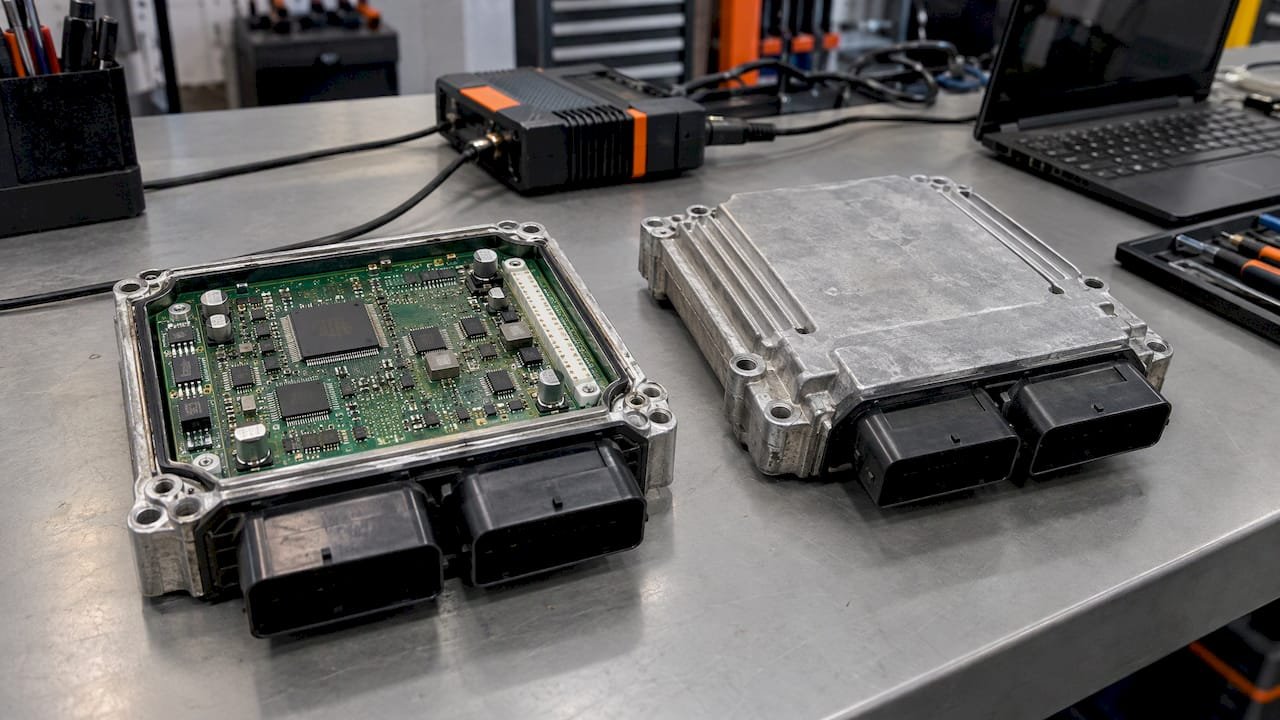
The same documentation explains why cross-version cloning fails. Different hardware or software versions store data at different addresses. Some SIMOS and PCR2.1 units carry a power-class identifier tied to the CAN network, and newer generations use different encryption keys. A mismatch can leave the vehicle not starting or produce CAN communication errors with other modules. That is the behavior for that platform family. Do not extend it to other families without checking them.
Practical consequences:
- A matching hardware number with a different software number may be workable, depending on platform and tool.
- A matching software number on different hardware is not a basis for cloning.
- A later hardware revision cannot be assumed to accept the earlier unit’s data, or the reverse.
- If architecture or memory layout differs between the two units, stop and confirm from documentation before writing.
Tool, protocol and file-handling requirements
There is no universal flashing format. Tracetronic’s ecu.test documentation notes that flash data requirements are manufacturer-specific. The data is a binary byte stream, a memory address and size must be supplied, and the length of a packed file can differ from the memory size. A data format identifier describes any compression or encryption, and values other than zero are defined by the manufacturer.
In workshop terms:
- File size and memory layout vary by ECU family and software version. A file that is the wrong size for the target read is a warning sign, not a detail to ignore.
- Checksums must be correct for the unit on write. Whether your tool corrects them automatically depends on the tool and ECU.
- Read and write procedures (bench, boot, OBD) vary. Some units can only be accessed on the bench.
- Sequence can matter. The HexProg II manual describes ECUs that can be cloned 1:1 by backing up the original and the donor and restoring without overwriting the TriCore password area, and others that need a dedicated clone function. It warns that not following the sequence of original ECU, clone function, then donor ECU may change the TriCore password and cause problems. It also says recovery can be possible by restoring the original file in Boot mode on the same PC. Read your tool’s manual for the exact unit.
- Tool protocol support is as important as the file. A tool that reads protected areas but cannot write them, or cannot decrypt them, cannot complete the clone.
Where an original stock file fits
An original ECU software file is a reference to what the unit ran as delivered. For cloning and replacement work it can be useful as a software reference when you need to compare, restore or recover the software side of a job. It is not a substitute for the vehicle’s own data. A stock .bin file does not carry the immobilizer pairing, VIN or learned values of the car you are working on. Those live in the original unit, which is why the original’s full read comes first whenever it is readable.
Original ECU Files supplies unmodified stock ECU software files in .bin format. It is not a tuning, programming or diagnostic service. The catalog covers more than 500 vehicle brands, and you can search by brand, model, engine variant, ECU manufacturer, ECU type, hardware number, software number and calibration ID. You can browse by ECU type or start from the catalog home page. Each file is €19.99, paid through Stripe checkout, and the download link is emailed automatically after Stripe confirms payment.
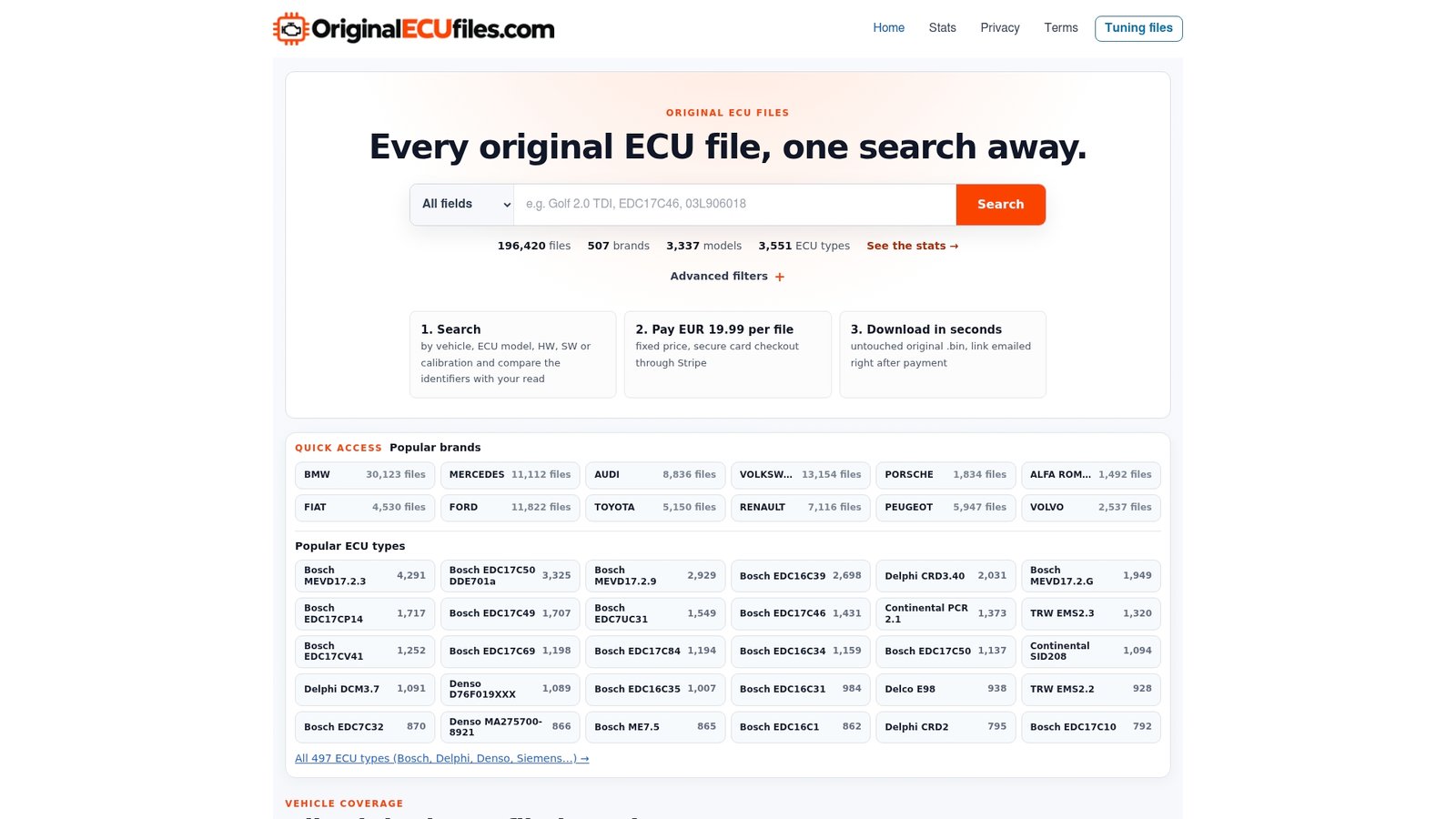
Use the listing identifiers the way you would use any other reference: compare the hardware, software and calibration IDs shown there with those on your own read before you buy. Listings are organized by identifier, for example a hardware-number page for a Bosch MS6.1 unit. Our article on ECU data transfer goes further into what moves between units and where stock files fit. DAMOS and A2L files are not included with ORI downloads.
After the write: coding and verification
A written clone is not finished until the vehicle accepts it. NeuroSuite notes that a cloned VAG ECU may set fault 01044, Control Module Incorrectly Coded, because soft coding depends on vehicle configuration such as transmission type, drive layout and equipment level. The fix there is to enter the original ECU’s coding value with a tool such as VCDS, VCP or ODIS. Other brands have their own equivalents, and some require manufacturer-specific synchronization or component programming.
A verification pass should confirm:
- The ECU communicates on the diagnostic link.
- Its reported HW, SW and calibration identifiers match what you intended to write.
- Immobilizer and key recognition work, where applicable.
- Required coding, configuration or adaptation procedures from the vehicle manufacturer are done.
- The vehicle starts and runs, and other modules show no communication faults.
Pre-write checklist
- Confirm the original is readable and your tool supports a full read or clone for this ECU family.
- Read and save every available area of the original, plus its identification data.
- Read the donor before writing and save it untouched.
- Compare HW, SW, calibration ID, processor and memory layout across both units and any reference file.
- Check file size and layout against what your tool expects for that ECU.
- Confirm the checksum handling and the write sequence in your tool’s documentation.
- Write only the areas your documentation says are compatible.
- Verify identification, communication and vehicle operation, then complete coding.
FAQ
Can I clone an ECU from a flash-only file?
Only where the platform keeps everything needed in flash and your tool supports that route. On many units the EEPROM or equivalent area carries the vehicle’s identity, so a flash-only read is a software copy rather than a full clone. Check your tool’s requirement for the specific ECU.
Do the software numbers have to match for the donor?
Not always. In documented VAG cases the hardware number must match, while the original flash is written to a donor with a different software version. Other platforms differ, so confirm for your ECU family.
Does a stock ECU file clone an ECU?
No. A stock file is an unmodified software reference. A clone transfers the data of one specific unit, including vehicle-specific areas that a stock file does not contain.
What should I compare to check cloning file compatibility?
Compare the hardware number, software number, calibration ID, ECU manufacturer and type, and processor or memory layout on your own read of each unit. Vehicle brand, model and engine give context but do not prove compatibility.