
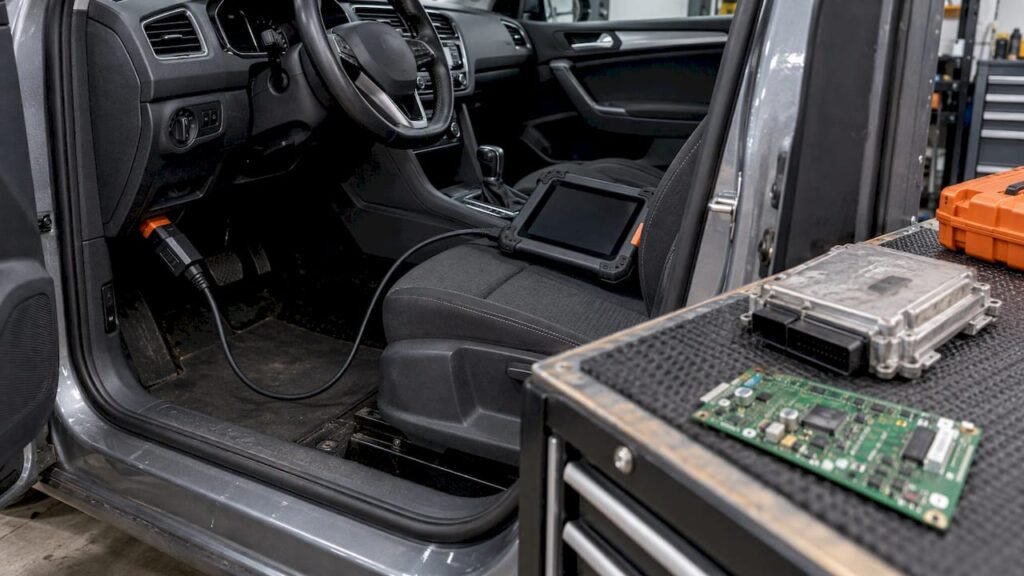
An “OBD file” is usually one of two unrelated things. The .obd extension belongs to a legacy Microsoft Office Binder document, and the search results for this term are almost entirely about that. If you work on ECUs, you more likely mean the data you get from a vehicle’s OBD port, which is not a file format at all. The file you need for repair or restoration is typically a binary image in .bin format, matched to your ECU by its hardware number, software number and calibration ID. This article separates the three meanings, shows how to open a legacy .obd file safely, and explains how to match a stock ECU file to the read you already have.
TL;DR
- A file with the .obd extension is most often a Microsoft Office Binder document (Office 95 to 2000), an OLE2 container for Word, Excel and PowerPoint files. It has nothing to do with vehicles.
- OBD stands for on-board diagnostics. It is the vehicle port and protocol layer, not a file type. What you read through it, and in what format, depends on the ECU and the tool.
- A stock ECU file is a binary image, and our files are delivered in .bin format. The extension tells you nothing about which ECU it fits.
- Match files by comparing the hardware number, software number and calibration ID with your own ECU read. Distinguish a full read from a flash-only read before you compare sizes.
- Original ECU Files sells unmodified stock files at EUR 19.99 each, searchable by those identifiers.
Table of Contents
- Three things people mean by “OBD file”
- The .obd extension: Office Binder documents
- Opening a legacy .obd file safely
- OBD is a port, not a file format
- Full read versus flash-only read
- Why the extension tells you nothing
- Matching a stock file to your ECU read
- Where Original ECU Files fits
- Common mix-ups to avoid
- FAQ
- Sources
Three things people mean by “OBD file”
| What you have or want | What it really is | Where it comes from |
|---|---|---|
| A file ending in .obd on a Windows machine | Microsoft Office Binder document, an OLE2 container | Office 95, 97 and 2000 |
| A less common .obd file of Oracle Forms help data | Binary online help data for Oracle Forms | Oracle Forms projects |
| Data from the OBD connector of a car, truck or machine | Diagnostic communication, not a file format | The vehicle, through a diagnostic tool |
| The software stored in an ECU | A binary image, often saved as .bin | A full or partial ECU read, or a stock file supplier |
If you landed here with a stray .obd file in an email or archive, read the next two sections. If you are an ECU technician, skip to “OBD is a port, not a file format”.
The .obd extension: Office Binder documents
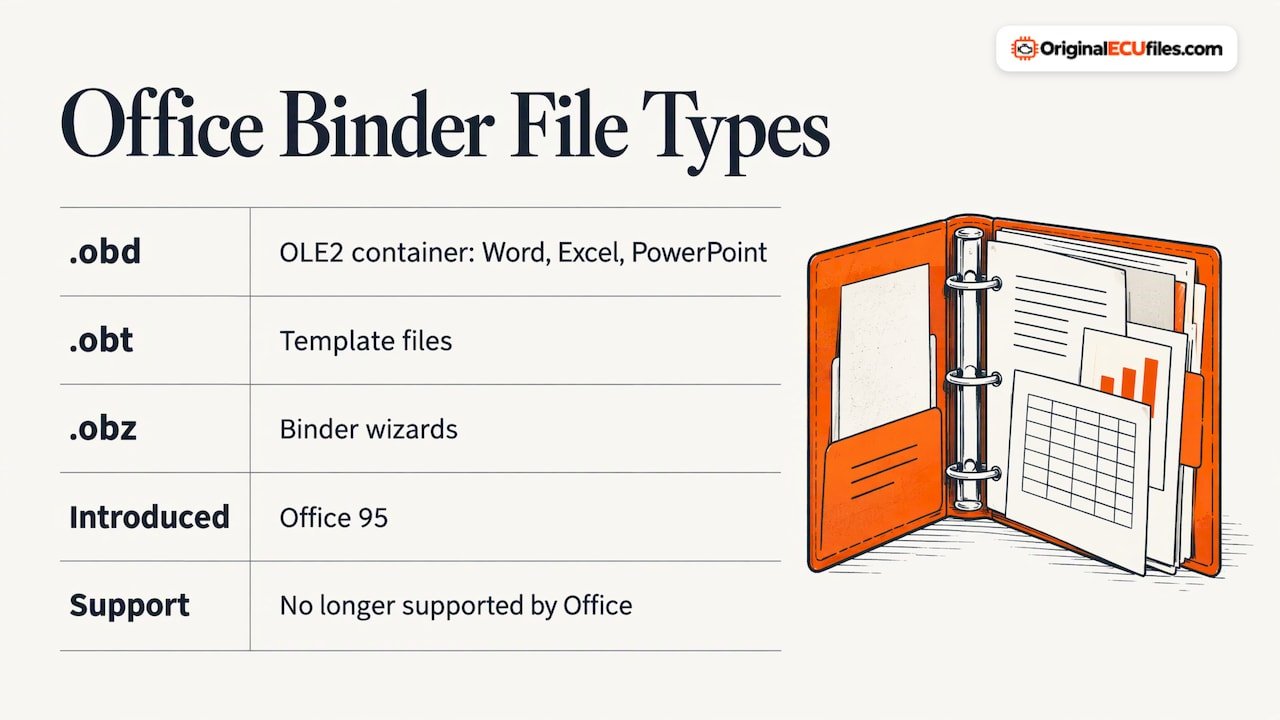
Microsoft Office Binder let users keep several documents in one container, much like a three-ring notebook. According to Microsoft’s archived Office Binder 97 FAQ, Word documents, Excel spreadsheets and PowerPoint presentations are saved together in one .obd file. Related types are .obt for templates and .obz for binder wizards.
The US National Archives records the format as a proprietary binary OLE2 container introduced with Office 95, and notes that .obt template files appear to share the same underlying format (NARA file format record). The UK National Archives’ registry describes it as a container grouping documents, workbooks and presentations for a project, no longer supported by Office software (PRONOM fmt/237).
How to recognize one in a hex editor
OLE2 files, including Binder files, start with the bytes D0 CF 11 E0 A1 B1 1A E1. Inside, a “Binder” storage plus numbered section storages (1, 2, 3 and so on) mark the file as a binder rather than another OLE2 file, according to File-Extension.info.
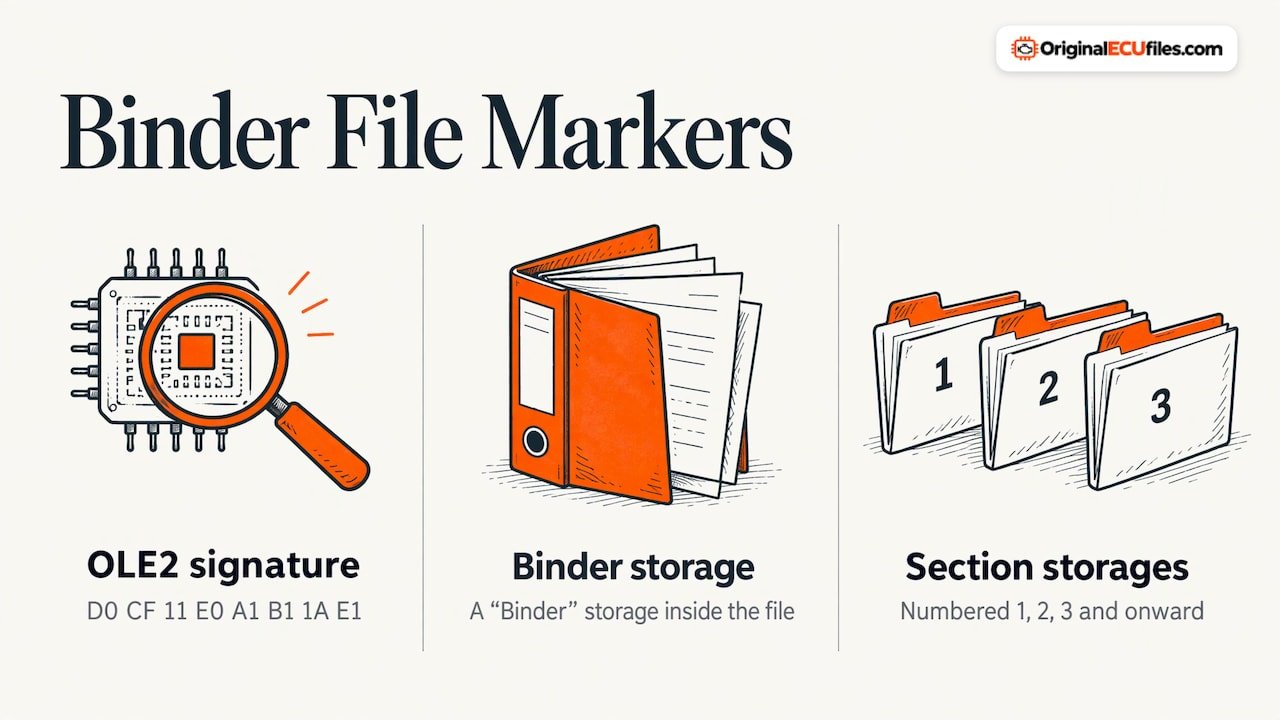
This matters for ECU work in one specific way: the OLE2 signature is the same one used by old .doc and .xls files. An ECU image does not start this way by design, so if a file you were told is “ECU data” begins with D0 CF 11 E0, it is an Office container that has been mislabeled or renamed.
The second .obd type
A smaller share of .obd files hold Oracle Forms online help data. Filext reports that these begin with the characters OMBD and are readable only by associated programs. Neither type is related to a vehicle.
Opening a legacy .obd file safely
No current Office version opens Binder files natively. The practical route is to extract the contents and keep the original.
- Copy the file first. NARA recommends retaining the original while extracting its contents if possible.
- Use the unbind function where you have it. Microsoft’s FAQ states that choosing Unbind on a binder saves each section as a separate document in the same folder and leaves the original binder intact. NARA notes that Microsoft supplied UNBIND.EXE with Office XP and Office 2003, and that an emulated or legacy system is needed to run it.
- Treat the container as untrusted. File-Extension.info rates the security risk as medium, since these are old OLE2 structures that can be malformed, and advises opening them only in an isolated legacy system. Do this on a spare machine or virtual machine, never on the PC that holds your customer files and tool licenses.
- Convert the extracted parts. Once separated, the individual sections are ordinary Word, Excel or PowerPoint documents that can be saved to current formats.
A Microsoft Q&A answer from March 2026 describes a workaround in which the binder is opened like an archive with 7-Zip and the extracted components are renamed with legacy extensions such as .doc or .xls (Microsoft Q&A). Results will vary by file, so keep the untouched original.
Online converters generally fail on these files because they are containers, not single documents.
OBD is a port, not a file format
OBD means on-board diagnostics: an electronic system within a vehicle that reports on the function of systems such as the engine and emission components. Fleetworthy’s overview notes that on-board diagnostics became standardized for US vehicles in the 1980s. OBD-II is the standardized second generation, and the connector is usually found under the dashboard on the driver’s side.
The important point for a workshop: the OBD connector is a physical and protocol interface. It does not define a file. Depending on the vehicle, the ECU and the tool you use, you may:
- read fault codes and live data, which produce logs or reports rather than ECU software;
- read the ECU memory through a tool-specific procedure, which produces a binary image; or
- be unable to read the memory this way at all, and need another access method for that ECU family.
Which of these applies is ECU-dependent and tool-dependent. There is no universal procedure, and a tool vendor’s own documentation for your exact ECU is the authority on how that read and write works.
People sometimes call the result of a memory read an “OBD file” because the connection was made through the OBD port. That label does not describe the content. Two reads taken through the same port can differ in size, region coverage and structure.
Full read versus flash-only read
This distinction decides whether a stock file is comparable to your read at all.
| Full ECU read | Flash-only read | |
|---|---|---|
| What it covers | The ECU’s memory as the tool exposes it, which may include several regions | The program flash region only |
| Typical use | Complete restoration, replacement and cloning work where the read covers every needed region | Software restoration where only the flash content is relevant |
| Size comparison | Compare with files of a full-read layout | Compare with files of a flash-only layout |
| Risk if mixed up | A flash-only file will not match the size you expect from a full read | A full-read file will look oversized against a flash-only read |
Which regions a “full” read includes, and what the tool calls them, differs by ECU family and tool. Treat the table as a way to think about the problem, not as a definition that holds for every controller. File size, memory layout, checksum requirements and read and write procedures all vary with the ECU family, the software version and the tool.
That is why file size alone never confirms a match. Two different ECUs can produce images of the same size, and one ECU can produce differently sized images depending on how it was read.
Why the extension tells you nothing
A .bin extension says only that the content is raw binary. It does not say which ECU, which software release, or which memory regions the file holds. The same applies to any extension a tool might add. The identifiers do the real work.
| Identifier | What it tells you | Where to find it |
|---|---|---|
| Hardware number (HW) | The ECU hardware revision | Label on the ECU, and the identification data from your read |
| Software number (SW) | The software release in the unit | Identification data from your read |
| Calibration ID | The calibration set within that software | Identification data from your read |
| ECU manufacturer and type | The controller family | ECU label and tool identification screen |
Naming and placement of these fields differ by manufacturer. Read them from the ECU and your read, then compare character by character. A near match is not a match.
Matching a stock file to your ECU read
The routine below is a general comparison method, not a procedure for any particular ECU.
- Record the identifiers from the ECU itself. Note the HW number from the label and the SW number and calibration ID from your read. Photograph the label.
- Note how the read was taken. Write down whether it was a full read or a flash-only read, and the tool and version used.
- Search by the most specific identifier first. Start with the SW number or calibration ID, then confirm the HW number, then check the brand, model and engine variant.
- Compare every available identifier. Hardware, software and calibration values should all agree with your ECU read before you buy.
- Confirm the layout is comparable. Check that the file’s scope fits your read type, and that your tool’s own procedure accepts the file. Checksum handling is ECU-dependent, so follow your tool’s documentation for your controller.
- Keep your original read. Store it unchanged, with the identifiers noted, before any write operation.
This is the area where a catalog with identifier-level search saves time. Searching by brand and model alone returns many candidates, and only the identifier comparison narrows them to the right one.
Where Original ECU Files fits
Original ECU Files is a database of original, unmodified (stock) ECU software files in .bin format, with more than 196,000 files across more than 500 vehicle brands, covering passenger cars, commercial vehicles, motorcycles and agricultural machinery. You can search by brand, model, engine variant, ECU manufacturer, ECU type, hardware number, software number and calibration ID. Each file costs EUR 19.99, paid through Stripe checkout, and the download link is emailed automatically once Stripe confirms payment.
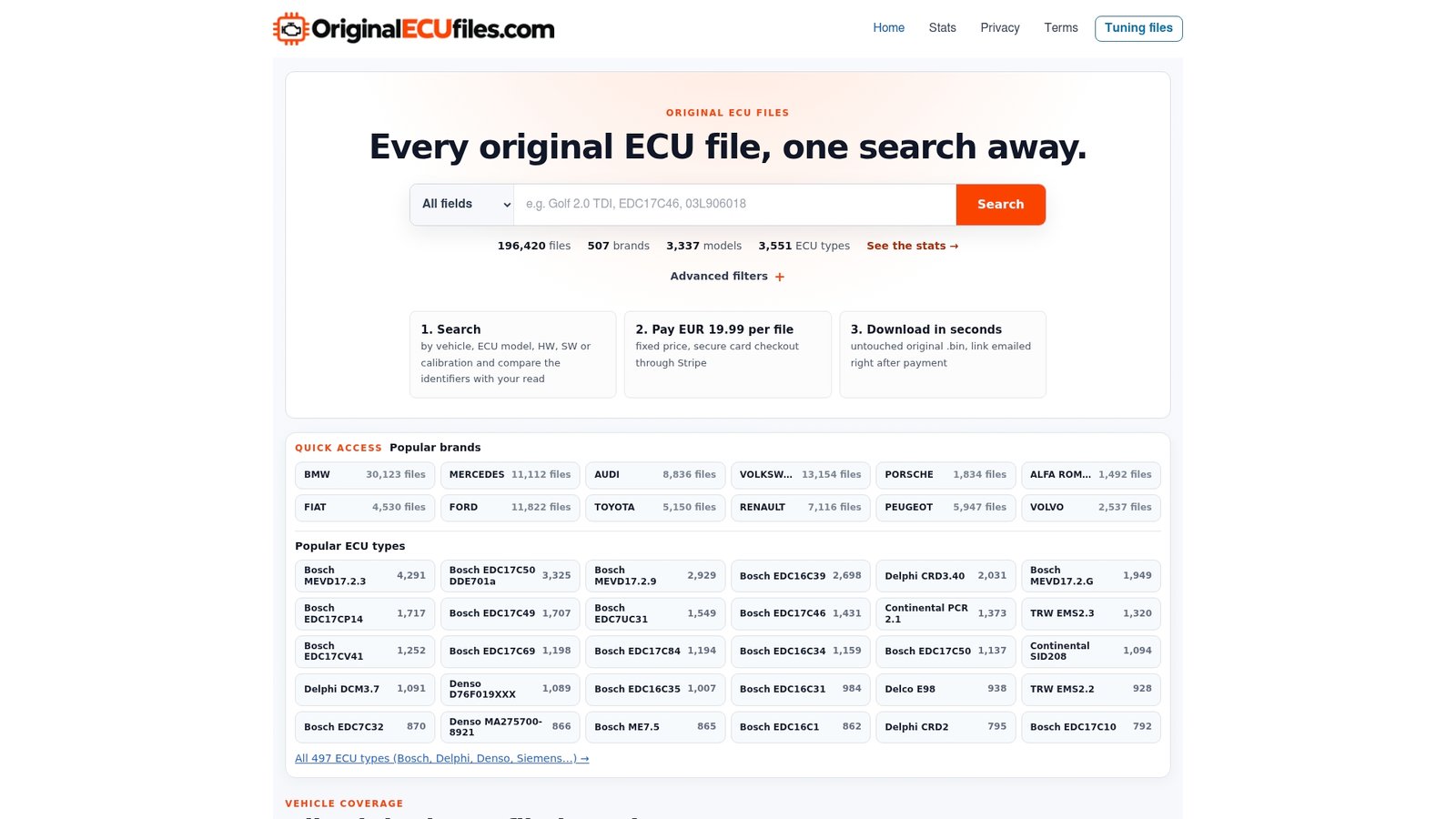
We supply stock files for professionals who do ECU repair, software restoration, replacement and diagnostics. We do not offer tuning, ECU programming or diagnostic support, and DAMOS or A2L files are not included with ORI downloads. Start from the original ECU files catalog and enter the identifiers from your own read. Brand pages such as Ford, GM and MAN are useful entry points when you know the make but want to browse by ECU type.
Before ordering, verify the hardware, software and calibration identifiers against your ECU read.
Common mix-ups to avoid
- Treating a .obd file as ECU data. If it opens as a Windows document container, it is an Office or Oracle file. Do not try to flash it.
- Calling a diagnostic log an ECU file. Fault code reports and live data captures do not contain the ECU software.
- Comparing a flash-only read to a full-read file. The size and layout will not line up even when the ECU is correct.
- Matching on model year and engine only. Several hardware and software variants can exist for the same model and engine.
- Skipping the backup. Keep the unmodified read of the customer’s ECU before writing anything.
FAQ
What is a .obd file?
In almost every case it is a Microsoft Office Binder document from Office 95, 97 or 2000, an OLE2 container holding Word, Excel and PowerPoint files. A rarer variant holds Oracle Forms help data. Neither is a vehicle file.
Is an OBD file the same as an ECU file?
No. OBD is the diagnostic interface of the vehicle. An ECU file is a binary image of the controller’s software, and our stock files are delivered as .bin. What a tool reads through the OBD connector, and in what format, depends on the ECU and the tool.
Can I open a .obd file in a current version of Microsoft Office?
Not natively. Microsoft’s unbind function, supplied with Office XP and 2003 according to NARA, extracts the sections, and it should be run on an isolated legacy system with the original file kept intact.
How do I know a stock ECU file matches my ECU?
Compare the hardware number, software number, calibration ID and any other available identifiers with your ECU read, and confirm that the file’s scope fits your read type, full or flash-only. File size and extension alone do not confirm a match.