
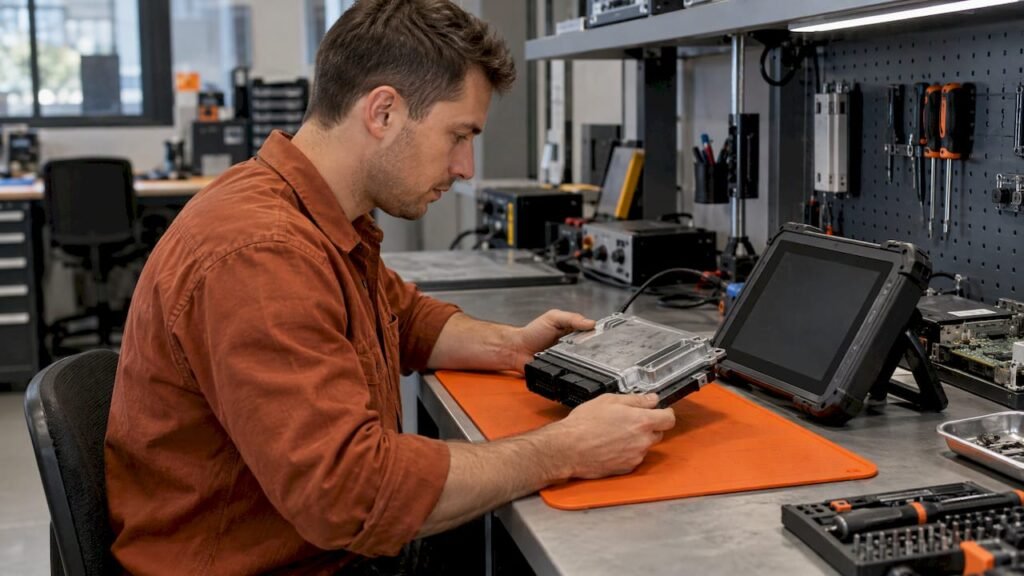
A part number alone rarely identifies one original ECU file. It narrows the search to an ECU family. The hardware number, software number and calibration ID, compared with your own read of the ECU, decide whether a stock file is the right one. At OriginalECUfiles we sell unmodified stock ECU software in .bin format, and every listing is searchable by those identifiers. This guide shows which number to search first, what each one tells you and what to check before anything is written to a unit.
TL;DR
- Search with the vehicle manufacturer’s part number if the label shows it. Use the supplier number (for example a Bosch number) when it is the only one available.
- The part number, hardware number (HW), software number (SW) and calibration ID each describe something different. No single one proves a file fits.
- Compare every identifier on the listing with what your ECU read reports. A matching file size or a valid checksum is not a match.
- A full read and a flash-only read are not the same thing. Know which one you hold before you compare it with a stock file.
- Original ECU Files lists each stock file at a fixed €19.99, with the download emailed after Stripe confirms payment.
Table of Contents
- Which number to search first
- Reading the label
- What each identifier tells you
- Full read or flash-only read
- Searching by ECU manufacturer
- Verify before you write
- Common matching mistakes
- Where our files fit
- FAQ
- Sources
Which number to search first
Start from the ECU, not from the car. Vehicle data (make, model, year, engine) helps you narrow down an application, but modules that look identical can be programmed or wired differently. Module Mountain’s guide makes the same point for exact matching: search the number on the module, not the vehicle alone.
A practical order of search:
- Vehicle manufacturer’s part number, if it is printed on the label. It ties the ECU to a vehicle application.
- Hardware number, which tells you the physical generation of the unit.
- Software number, which tells you what the unit was running when the label was made or when it was last updated.
- Calibration ID or other electronic identifiers, read from the ECU itself with your tool.
Module Mountain advises searching the car maker’s number rather than the supplier’s, unless the supplier number is the only one you have. Where both appear, record both. Our database accepts searches by brand, model, engine variant, ECU manufacturer, ECU type, HW, SW and calibration ID, so you can enter whichever identifiers you have and cross-check them against one listing.
Reading the label
The part number is usually the longest number on a sticker or stamped label on the case. Its format depends on the maker. Module Mountain gives these examples:
| Maker group | Example format |
|---|---|
| Ford, Lincoln, Mercury | Three-part, such as AL3A-12A650-ABC |
| GM | Eight digits, such as 12654321 |
| Chrysler, Dodge, Jeep, Ram | Eight digits plus two letters, such as 68123456AB |
| Asian makes | Five digits then more characters, such as 89661-0C123 or 37820-RCA-A01 |
Some makers encode meaning in the number. Hondata’s technical reference describes Honda numbers as a fixed 37820 prefix, three characters loosely related to the car or engine model, and three revision characters. In the revision, the first letter indicates market (A generally US, G European, J Japanese), the second digit indicates transmission (0 manual, 5 automatic) and the last digit is the version. Treat that as Honda-specific. Do not apply it to other makers.
If the label is missing or unreadable, Total Car Diagnostics suggests a dealership can look up the original ECU part number from the VIN. Some tools can also read the part number and serial number from the ECU directly. Woolichracing’s support article describes this for its own software, which uses the part number to allow only compatible bin files to be written. That behavior belongs to that tool and is not a universal rule.
What each identifier tells you
A part number is a commercial reference. The numbers inside the unit describe its hardware and its program. AutoECUMaster’s identification guide notes that these identifiers describe different aspects of the controller. A matching hardware number does not prove two ECUs hold identical software. A matching software identifier does not make every hardware configuration interchangeable.
| Identifier | What it generally describes | What it does not prove |
|---|---|---|
| Vehicle OEM part number | The ECU’s application on a vehicle | That the installed software is the original one |
| Supplier part number | The supplier’s ECU variant | That the software matches |
| Hardware number (HW) | Physical generation or revision | That the software is the same |
| Software number (SW) | The installed program version | That the hardware is compatible |
| Calibration ID | The vehicle-specific data version, where available | Anything alone without HW and SW |
The exact name and format of these fields vary by ECU family and supplier. Where a listing on our site shows a field, compare it. Where a field is absent, do not guess it.
Why the software number on a label can be wrong
Auto Module Lab points out that the software or calibration number changes when a unit is reflashed for a service bulletin or updated calibration. On some platforms it sits on a separate sticker that should be updated after a reflash, so it is often wrong on a used part. For that reason, treat the label as the starting point and the electronic identification read from the ECU as the stronger evidence. If they disagree, stop and work out why before writing anything. Possible causes include an official update, a replaced or cloned unit, a refurbished unit, a swapped housing or a wrong protocol selection.
Serial numbers
A serial number identifies an individual unit. On its own it is not a reliable route to a software variant. Use it for record keeping, and use the part, hardware and software numbers for matching. Some tools read the serial number alongside the part number, but how that is used is tool-specific.
Full read or flash-only read
Before you compare a stock file with your own data, know what your read contains.
- A full ECU read captures more than the main program area. Depending on the ECU and tool, it can include areas such as EEPROM or other data memories as well as flash.
- A flash-only read captures just the program memory that the tool exposes.
File size, memory layout, checksum requirements and read and write procedures vary by ECU family, software version and tool. A file that is the right size for a flash-only read will not be the right size for a full read of the same ECU, and the reverse is also true. AutoECUMaster states that a matching file size by itself does not prove a file suits the ECU. Do not rely on size alone. Check what your tool and procedure produce for that ECU family, and read the tool’s own documentation for the write procedure.
Our files are original stock software delivered as .bin. We do not claim that a given file suits every tool or every procedure. That depends on the ECU, the software version and your equipment.
Searching by ECU manufacturer
A search by manufacturer alone returns a family, not a file. The ECU supplier (Bosch, Delphi, Continental, Temic and others) defines the controller family. Within a family, hardware and software numbers separate the variants. A file must belong to the exact ECU, not merely to the same manufacturer.
A sound record for each job includes:
- Vehicle manufacturer, model, year, engine and transmission
- ECU manufacturer and family (for example Bosch EDC17 or ME7)
- OEM part number and supplier part number
- Hardware number and software number
- Calibration ID where available
- Processor or MCU, where known
- Tool, protocol, connection mode and read method
KT200II’s matching guide is a useful model for this record. The processor matters because it can determine the access method, such as bench, boot or JTAG. Search for the file from the ECU’s identification. Do not work backward from a file name.
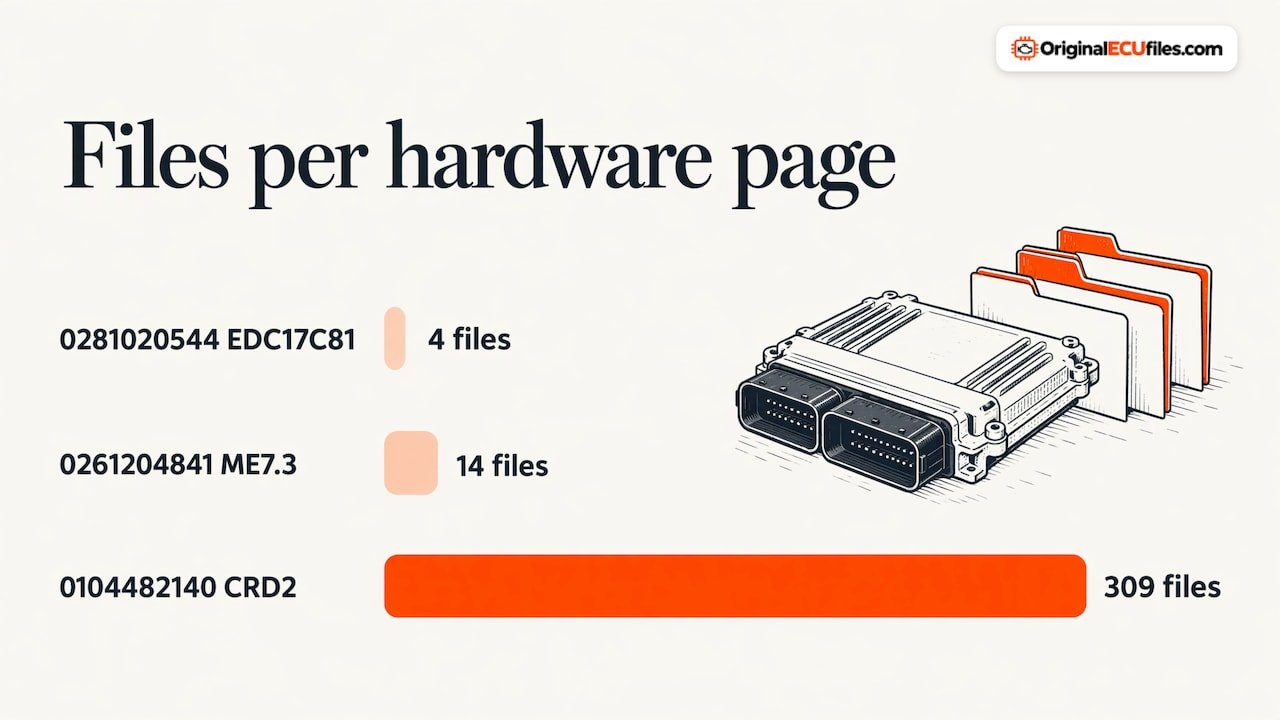
Our database is organized so that you can reach a listing in several ways. You can browse by brand, for example Ford, MAN or Smart. You can browse by ECU type. Or you can go straight to a hardware number page. Examples of the URL pattern include 0281020544, Bosch EDC17C81 with 4 files, 0261204841, Bosch ME7.3 with 14 files, and 0104482140, Delphi CRD2 with 309 files. The count on a hardware page shows that one hardware number can map to many software versions. That is why the hardware number is a filter, not a final answer.
Verify before you write
The matching step is where an incorrect file gets caught. A workable sequence, drawing on the checklists from several workshop-oriented guides:
- Capture the label. Photograph the whole ECU and transcribe every number, including hardware, supplier number, revision suffix and date code.
- Read the electronic identification before any full read or write, and save a screenshot.
- Compare label and electronic data. If they differ, work out why before continuing. Helpecu’s identification guide lists reasons a mismatch does not automatically mean the ECU is faulty.
- Read and archive the original data from the ECU before changing anything, and name the files clearly.
- Compare the candidate file’s identifiers with that read: hardware, software, calibration, family and memory layout.
- Check the checksum requirements for that ECU family and tool. A correct checksum does not prove the hardware matches, that the software belongs to the vehicle or that the file represents the right memory area, as the KT200 Plus matching guide puts it.
- Write, verify and read back, on a regulated, current-limited bench supply where the work is on the bench.
This is not a universal procedure. Procedures differ by ECU and tool, so follow your tool maker’s instructions for the write itself.
Cloning and replacement
For cloning, the logic differs from what many expect. Auto Module Lab explains that the donor’s hardware must match because the software is what gets transferred. A donor with a matching software number but different hardware is not usable. Sellers often quote whichever number is easiest to read, so a software number passed off as the part number can match many incompatible cars.
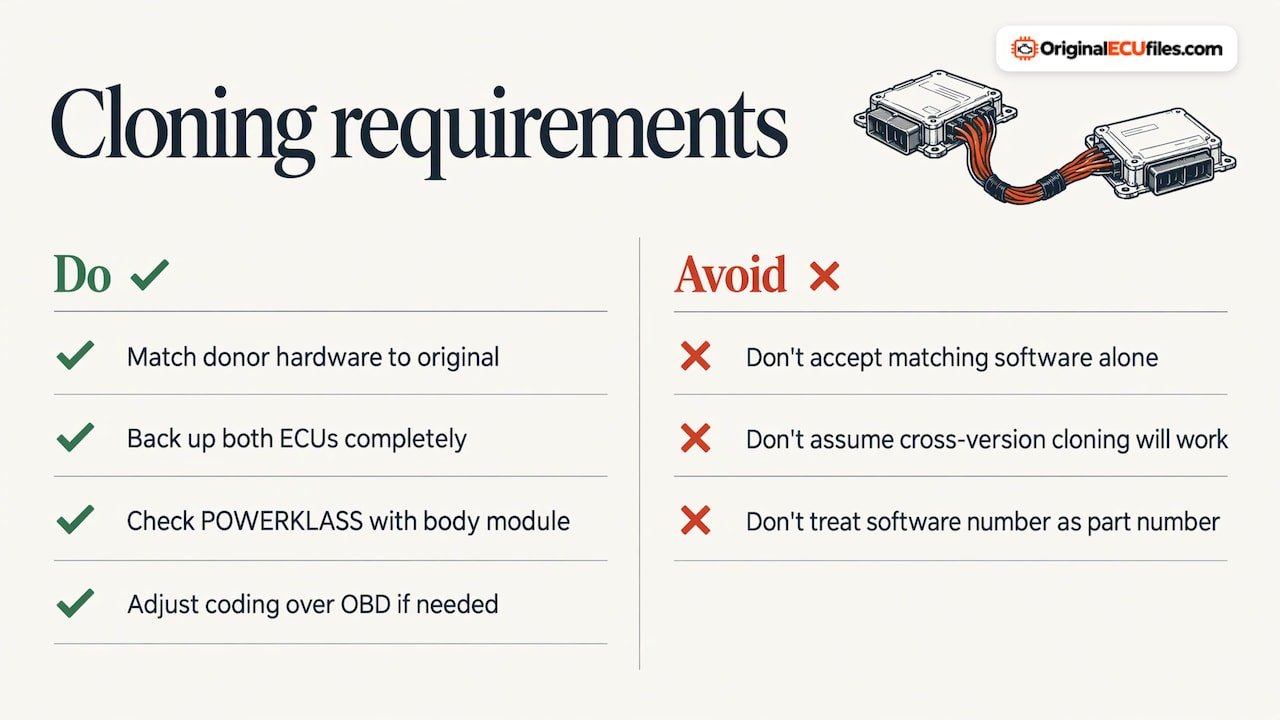
NeuroSuite’s support page adds that, for the platforms it covers, cloning needs two ECUs with the same hardware number and complete backups of both, and that cloning across software versions can fail because the versions store data at different addresses. It also describes VAG’s POWERKLASS identifier on SIMOS and PCR2.1 units: if it does not match what the body control module expects, the car will not start. After a clone, coding may need adjustment over OBD, since coding depends on the vehicle’s configuration and options.
Common matching mistakes
- Searching by one number. A hardware number alone matches many software versions. A software number alone can match incompatible hardware.
- Trusting the label over the read. Stickers are not always updated after a reflash.
- Matching by manufacturer or vehicle only. The family and revision must be the same.
- Treating file size as proof. Same size does not mean same layout.
- Ignoring the read type. Comparing a flash-only read with a full-read file leads to false mismatches or false matches.
- Skipping a backup. Always archive what is on the ECU before any write.
Where our files fit
Original ECU Files supplies stock, unmodified software in .bin format. It is a reference for ECU repair, software restoration, replacement and related technical work. We do not sell tuning maps, and the business is not a tuning, programming or diagnostic support service. DAMOS and A2L files are not included with ORI downloads.
The catalog holds over 196,000 original files across more than 500 vehicle brands, covering cars, commercial vehicles, motorcycles and agricultural machinery. Each file costs €19.99, paid through Stripe checkout, and the download link is emailed automatically once Stripe confirms payment. Always verify hardware, software and calibration identifiers against your ECU read before buying.
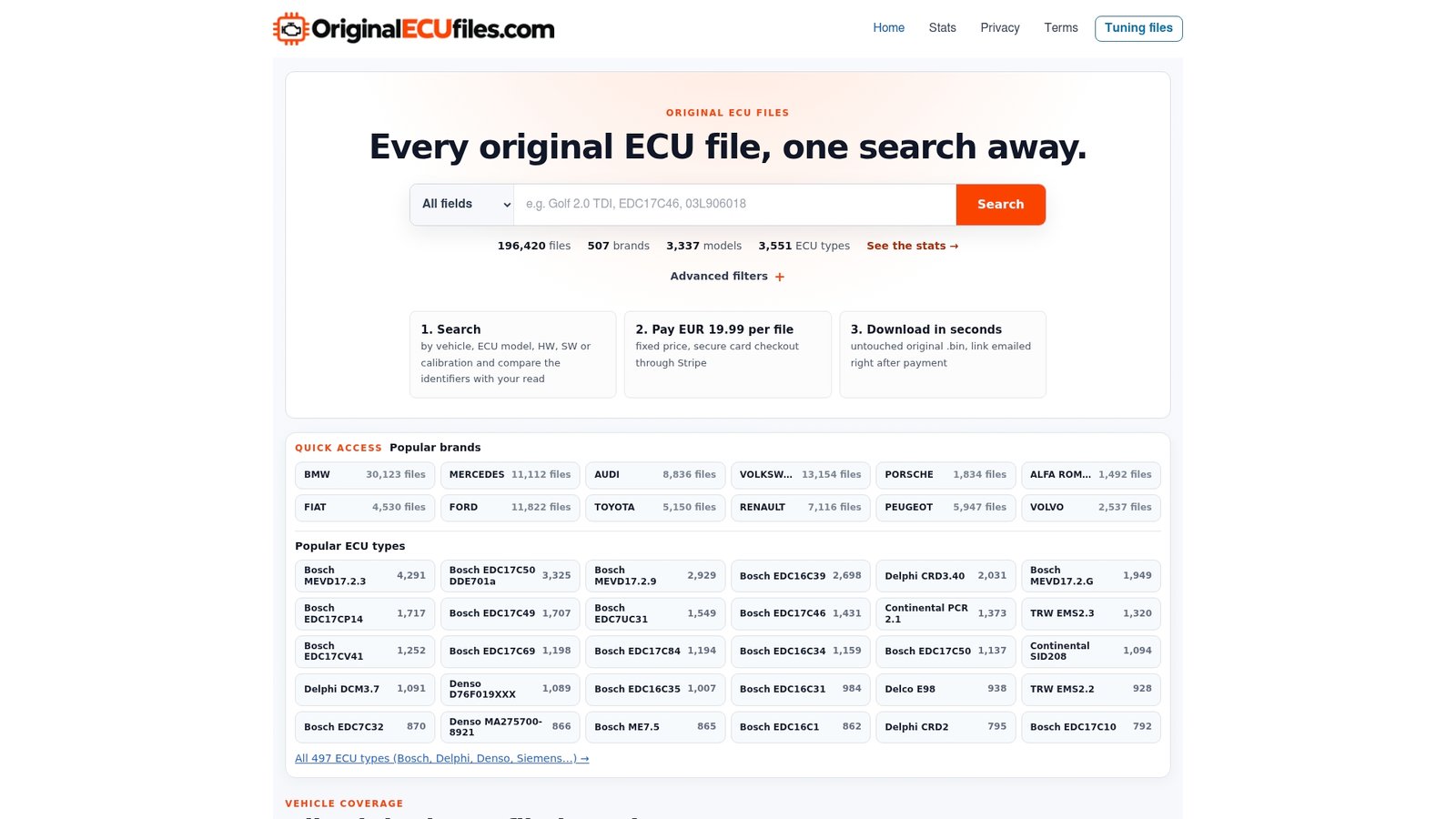
To start, search the catalog on our home page with the identifiers from your label and your read.
FAQ
Can I find an ECU file by part number alone?
You can start there, but you should not stop there. The part number points to an application and a family. Confirm the hardware number, software number and calibration ID against your ECU read before choosing a file.
Which number matters most, hardware or software?
Both matter and they answer different questions. Hardware describes the physical unit and software describes what it runs. A match on one does not prove the other, so compare both, plus the calibration ID where it is available.
Does a matching file size mean the file is correct?
No. File size, memory layout and checksum rules vary by ECU family, software version and tool. A full read and a flash-only read of the same ECU also differ in size. Compare identifiers first, and treat size as a secondary check.
What if the label and the electronic read disagree?
Stop before writing. The cause may be an official update, a replaced or cloned unit or a wrong protocol selection. Work out which data is correct for that ECU first.
Sources
- How to Find the Part Number on Your Car’s Control Module, Module Mountain
- Technical Information ECU Identification, Hondata
- How to Identify or Find Car’s ECU Part Number, Total Car Diagnostics
- Identifying the Correct Part Number for Your ECU, Woolichracing
- ECU Software Identification and Compatibility Guide, AutoECUMaster
- ECU Hardware Number vs Software Number Guide, AutoECUMaster
- Buying a Used Donor Module: The Pre-Purchase Checklist, Auto Module Lab
- Module Part Numbers Explained, Auto Module Lab
- EEPROM Editor, NeuroSuite
- KT200II Original ECU File Matching Guide
- KT200 Plus ECU File Matching Guide
- ECU Identification Numbers Guide, Helpecu