
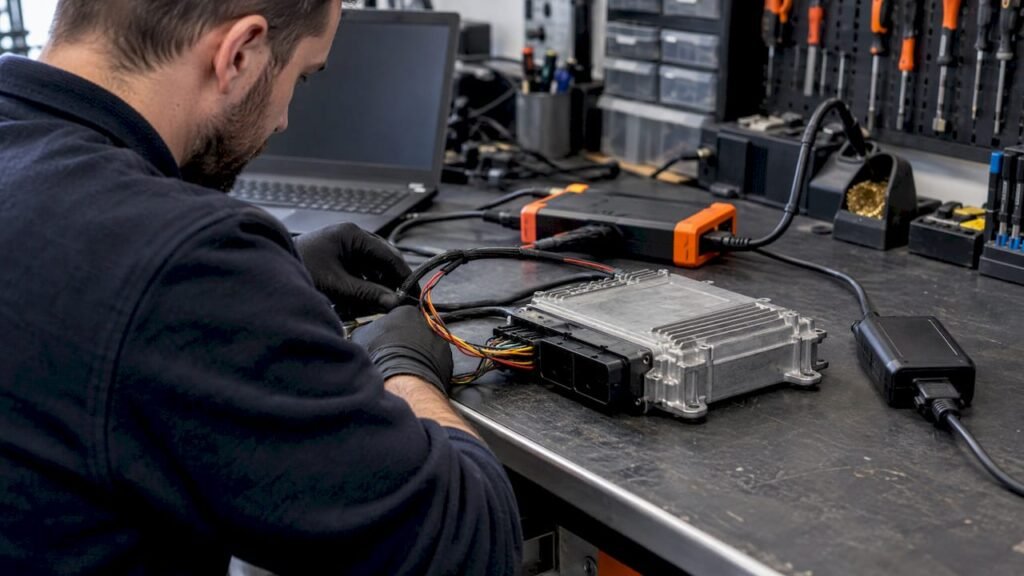
Most “bricked” ECUs are not dead. They are stuck in a bootloader because the application area is invalid, and they can be recovered by rewriting a complete, known-good stock image that matches the unit’s hardware, software and calibration identifiers. Recovery depends on the platform, on whether the bootloader survived, and on whether you have a correct file. We supply original, unmodified stock files in .bin format, so this guide covers the recovery logic and where the stock file fits in.
TL;DR
- A failed flash usually leaves the bootloader intact. The ECU stays in boot mode and accepts another programming attempt. Damage to the bootloader itself is the case that needs chip-level work.
- Stop retrying in the vehicle until you know why the first attempt failed: power, connection, wrong file, or an erase or write fault.
- The recovery file must be a stock image that matches the ECU’s HW number, SW number and calibration ID, compared against your own read. Check whether your backup is a full read or a flash-only read.
- File size, memory layout, checksum handling and read/write procedure vary by ECU family, software version and tool. There is no universal procedure.
- Original ECU Files sells stock .bin files at €19.99 per file. We do not provide programming, tuning or technical support.
Table of Contents
- What “bricked” means in practice
- Why an interrupted flash is usually recoverable
- Check before you retry
- Recovery paths differ by platform
- What the recovery file has to match
- Where a stock file fits
- Boot mode: powerful, and unforgiving
- After the unit responds again
- When it needs the bench or a replacement
- FAQ
- Sources
What “bricked” means in practice
A bricked ECU is a control unit that no longer works after a programming operation went wrong. Typical signs are no communication over OBD or on the bench, a flash that stopped midway, a checksum error, or a unit that only boots into a partial or recovery mode. One technician guide on bricked ECUs recommends bench testing the module to rule out wiring faults before you blame the software.
The cause is often outside the ECU. Atlas troubleshooting documentation lists a low battery that lets the ECU brown out during programming, a loose OBD connector, and communication glitches from wireless links or a faulty cable. Its symptoms include a vehicle that will not crank after a key cycle, or dash lights that flash.
It also helps to separate three situations:
- Interrupted flash, bootloader intact. The most common case. The application is invalid, but the unit can be reprogrammed.
- Wrong or incompatible software written. The write completed, but the unit cannot run or communicate. It needs a correct image, often through a boot-mode procedure.
- Corrupted bootloader or damaged hardware. The unit no longer responds to any normal method and needs chip-level work or replacement.
Why an interrupted flash is usually recoverable
Almost every ECU has a small bootloader that runs first on power-up and is the only code that can erase and rewrite the application area. According to a knowledge base on ECU flashing, the application validity flag is set only after the new image has been transferred and checked. An interrupted flash therefore leaves the bootloader in control, and the flash can be retried over UDS reprogramming services.
The typical UDS sequence is described in this ISO 14229 bootloader reference. It runs from a programming session and security access, through erase, download and transfer, to a verification routine and an ECU reset. The same reference says a bootloader that detects an incomplete application, through a CRC or a write-completion flag, stays in bootloader mode and waits for a new flash.
Motodemy’s UDS material describes how a two-stage design behaves in each failure:
| Failure point | State afterward | Recovery step |
|---|---|---|
| Power lost mid-transfer | Boot flag not set; bootloader waits in diagnostic mode | Reconnect the tester and restart from the secondary bootloader download |
| Transfer aborted mid-erase | Flash partially erased | Re-run the erase from the beginning of the failed block |
| CRC mismatch at transfer exit | Block rejected | Re-download the block from scratch |
This is a general architecture. Not every ECU implements it the same way. One bootloader overview notes that some ECUs stay in bootloader mode while others use protected recovery areas or redundant software partitions, and that recovery is not guaranteed. If the bootloader or critical startup memory is damaged, the unit may need specialized hardware procedures or manufacturer-level support.
Check before you retry
Repeated blind attempts are how a recoverable unit becomes a harder job. Work through this first:
- Record the identifiers. Write down the ECU part number, manufacturer, hardware reference and software ID from the label and from any readable data. You need them to choose a file.
- Reconstruct the failed session. Note the tool, the mode, whether it was a read or a write, which file was written, the error message, and whether power or communication dropped.
- Verify power and ground. Battery voltage, charger, ground path and fuses come first. EcuTek’s recovery instructions call for a healthy 12–14 V battery, ideally on a charger, closed doors, hood and trunk, no electrical loads, and no external CAN devices.
- Remove aftermarket devices. EFILive’s help article on flashing problems says to isolate anything wired into the OBD port and to avoid operating any vehicle feature that talks on the data bus during a flash (doors, windows, radio, HVAC, charging devices).
- Test communication. See whether the ECU answers on OBD or on the bench. If the bench works and the car does not, suspect the vehicle side.
- Find out what can still be read. Establish which memory regions respond before you decide on a path.
EFILive’s article also tells users to confirm the stock file was read from the vehicle, because a file from elsewhere lacks vehicle-specific information, and to check that checksums are valid.
Recovery paths differ by platform
The procedures below come from tool and OEM documentation. They are examples of how different families behave, not a procedure to apply to other ECUs.
| Platform | Documented recovery behavior | Source |
|---|---|---|
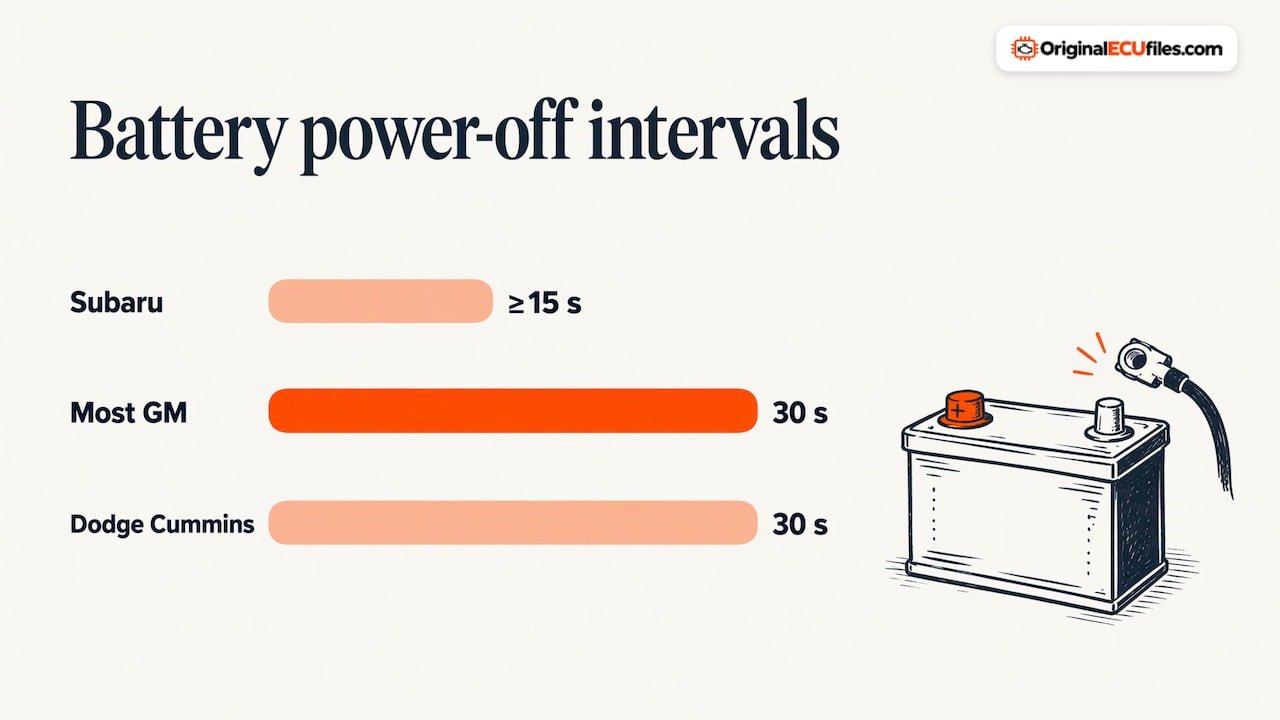
| Subaru (EcuTek) | Close the programming window, disconnect the negative battery terminal for at least 15 seconds, reconnect, select the correct vehicle and ECM/TCM, then program a stock ROM. A tuned ROM cannot be used. | EcuTek |
| Most GM controllers | The built-in boot block normally stays intact. Retry, update software and firmware, remove battery power for 30 seconds, then full-flash with a stock tune. | EFILive |
| GM LS1, LB7, LLY, AL5 | A “no communications” error usually means opening the controller and reprogramming the flash chip. | EFILive |
| Dodge Cummins and Cummins HD | Boot block is not erased. Retry, update, remove power for 30 seconds, full-flash with a stock tune. | EFILive |
| Cummins CM2100/CM2200 | ROM Boot recovery: hold the ROM Boot switch on a bench device, power the ECM, flash a recovery file, release the switch. | EFILive Dodge Cummins guide |
| Toyota, 2001–2020 models | Reprogramming through J2534-compliant hardware or a listed Techstream device, applied only to the intended vehicle and ECU combination. | Toyota service bulletin summary |
Two details matter across these entries. For GM controllers on the older protocol, EFILive states that if power was removed after a failure, the unit may be recoverable only if the flash was at least 15–20% complete. And where a failed flash used a security-restricted tune, the Cummins guide says recovery must first use a file without security restrictions, such as a stock tune.
For heavy-duty trucks, OEM procedures can be specific to the unit. A 2008–2015 NAPS recovery procedure uses a VIN-specific recovery file, verifies the engine number, writes the ECU, confirms the software number, and then clears any fault codes set during programming.
What the recovery file has to match
A stock image restores the state the ECU was designed to run, which is why recovery guides keep pointing to a stock file. It only works if it is the right one.
Compare identifiers against your own ECU read. The hardware number, software number, calibration ID and any other available identifiers on a catalog listing must be compared with those from your ECU. A close match on engine and model is not enough. Two units for the same vehicle can carry different hardware or software versions. Always verify them before you buy a file.
Know what your backup is. The two read types are not interchangeable:
- A full ECU read covers the flash and the other memory areas the tool can reach. These can include configuration data and, on some units, an EEPROM or protected section.
- A flash-only read covers the application and calibration flash but not necessarily the rest.
A pre-flash backup should hold the original flash data, the hardware and software identification, and any controller-specific configuration, labelled clearly and kept apart from modified files. ECUpark’s recovery guide also says to confirm which memory regions were actually retrieved instead of assuming that a finished read is a complete backup.
Expect differences by family. File size, memory layout, checksum requirements and the read/write procedure vary by ECU family, software version and tool. Some tools correct checksums on write, others need it done beforehand. Some ECUs split flash, EEPROM and external memory. A file that is correct for one unit may need different handling on another, so follow your tool’s documentation for the family you are working on.
Know what a stock file does not carry. A stock .bin is the original software. It does not replace vehicle-specific data held elsewhere in the unit. EFILive says that where the VIN, serial number, hardware number or calibration ID in the NVRAM are invalid, the controller needs repair to restore read and flash function. It also notes that new GM controllers require factory programming tools to create links between the ECM or TCM and other in-vehicle modules. Our ORI downloads do not include DAMOS or A2L files.
Where a stock file fits
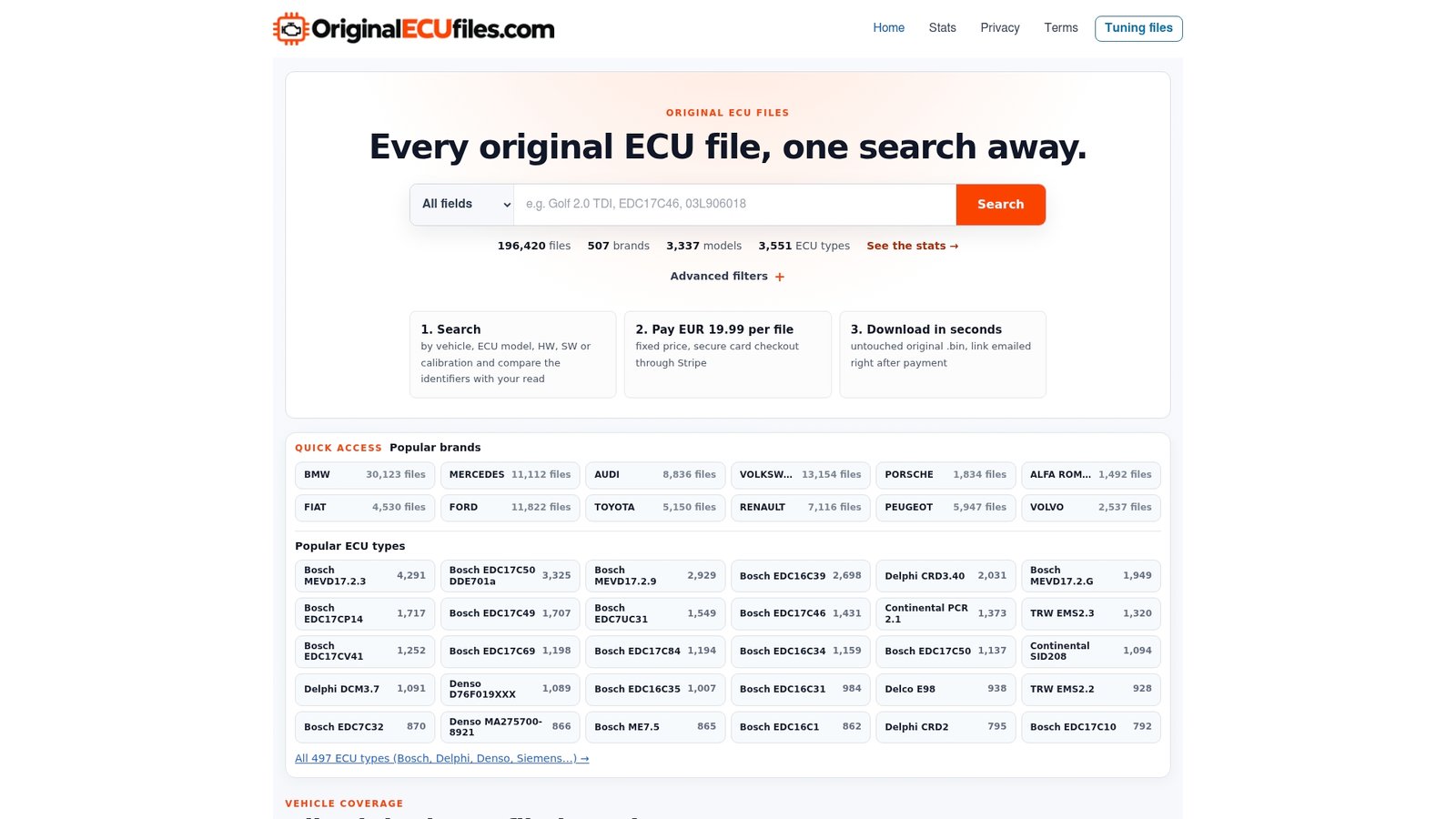
When a recovery path calls for a stock write, the practical problem is finding the exact original for the unit in front of you. The catalog at Original ECU Files holds more than 196,000 original files across more than 500 vehicle brands, covering cars, commercial vehicles, motorcycles and agricultural machinery. You can search by brand, model, engine variant, ECU manufacturer, ECU type, HW number, SW number and calibration ID. The ECU type index lists Bosch, Delphi and Denso files, and brand pages such as GM and Ford let you narrow by manufacturer.
Every file costs €19.99. Payment runs through Stripe, and the download link is emailed automatically after Stripe confirms the payment.
We sell stock software only. We are not a tuning, programming or diagnostic service, so the read, the identification and the write stay with your workshop and your tools.
Boot mode: powerful, and unforgiving
When OBD communication is gone, boot mode or bench access is the usual way back. It bypasses the application on flash, so it can reach units that no longer answer. It also removes the protections of the normal bootloader.
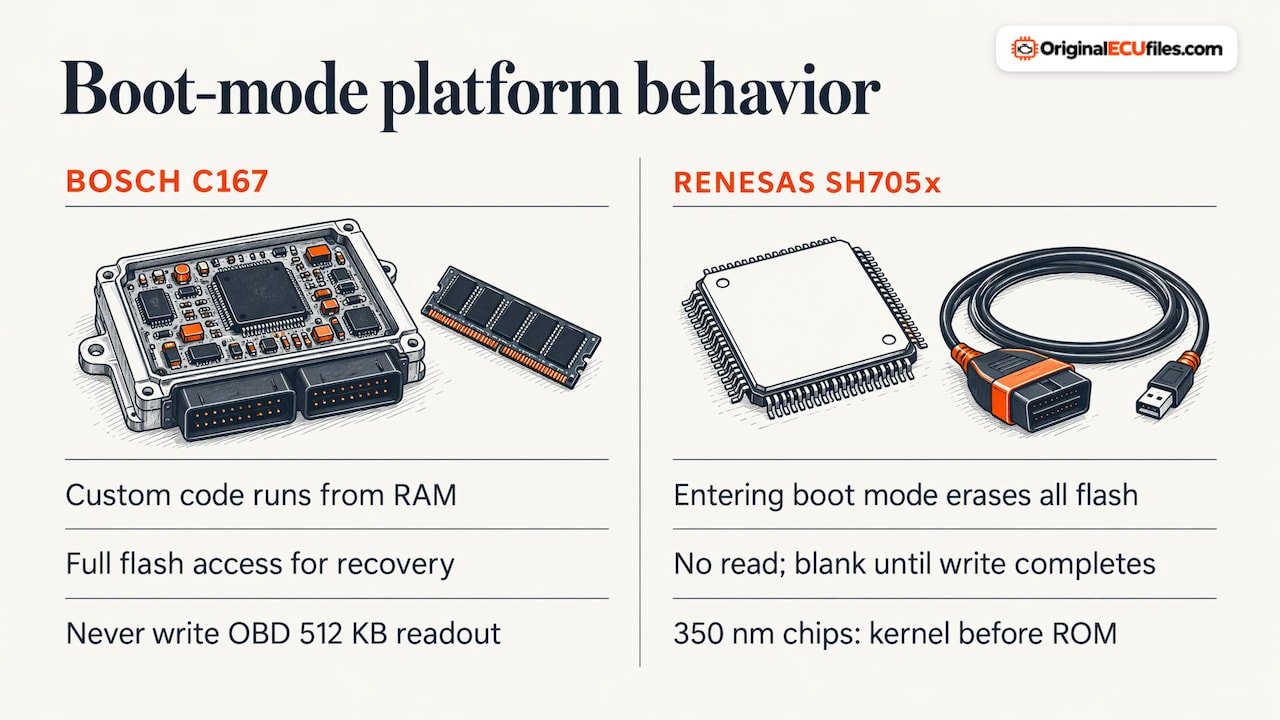
The MS4X wiki documents this for Bosch MS42 and MS43. Its Infineon C167 bootstrap loader lets custom code run from RAM, giving full flash access for backups and recovery of units that do not respond over OBD. But boot mode applies no safety checks to the binaries you write. The wiki also warns that an OBD 512 KB readout must never be written in boot mode, because that permanently deletes the ECU-unique keys in the protected bootloader section. This is one reason to know how your file was read before you write it.
Some chips behave differently again. FastECU’s recovery documentation states that on Renesas SH705x chips, entering boot mode erases the entire flash. There is no read, and the chip stays blank until a write completes. The recovery is then one automatic sequence: connect, enter boot mode, send the kernel on 350 nm chips only, write the ROM, optionally verify, and reset. A stock file on hand before you enter boot mode is what keeps that sequence from stalling halfway.
After the unit responds again
Once the ECU communicates, close the loop:
- Confirm the software number and calibration ID the unit now reports, against the file you wrote.
- Confirm the engine starts and runs, then clear any fault codes the failed session set.
- Resume your normal work only after the stock state is verified. EcuTek notes that tuned ROM programming can continue normally after a successful recovery.
- Keep the original read, labelled by vehicle and identifiers, before any further modification.
To cut the risk of another failure, treat the causes in the Atlas list as a routine. Hold the battery on a charger, use a physical cable where the tool allows it, and make sure the adapter is seated and selected. Atlas’s guidance is to charge the battery above 12.00 V, turn off electrical loads and set the ignition to ON before the tool’s recovery function is run. That is Atlas-specific, but the preparation applies broadly.
When it needs the bench or a replacement
Some units will not come back by reflashing. Signs include no response in boot mode, an invalid VIN, serial or hardware number in NVRAM, or physical damage. EcuTek notes that, as a last resort, boot pins on the chip may allow recovery, either by a technician with the right hardware and software or through a bench service. EFILive describes chip removal and reprogramming for the older GM controllers named above.
If the unit cannot be repaired, the realistic options are cloning the original data to a same-hardware donor, if the original can still be read, or programming a replacement with the correct VIN and calibration. A diesel ECM cloning guide describes cloning as the cleanest outcome, since VIN, calibration and keys all match, and it describes the replacement route as needing immobilizer joining where applicable. Whichever path applies, an original file for the donor or replacement hardware is the reference you will need.
FAQ
Can a bricked ECU be recovered?
Often, yes. When the bootloader is intact, the ECU can usually be reprogrammed with a complete, matching image. If the bootloader or startup memory is damaged, recovery needs chip-level procedures, and a unit with damaged hardware may need replacement. Outcomes depend on the ECU family and on how the failure happened.
What should I do first after an interrupted flash?
Stop and check power and connections before you retry. Record the identifiers and the error, stabilize the battery on a charger, remove aftermarket devices from the OBD port, and confirm what the unit still answers to. Repeated attempts without understanding the first failure can make recovery harder.
Can any stock file be used to recover my ECU?
No. The hardware number, software number and calibration ID of the file must be compared with those from your ECU read. File layout, checksum needs and write procedure vary by ECU family, software version and tool, so use only a file whose identifiers match and follow your tool’s documentation.
What is the difference between a full read and a flash-only read?
A full read covers the flash and other accessible memory areas, such as configuration data. A flash-only read covers just the application and calibration flash. Confirm which regions your tool actually retrieved before relying on a backup.
Sources
- Bricked ECU guide, bFlash
- Flash Issues & Troubleshooting, Atlas
- ECU flashing knowledge base, I CAN Hack
- UDS bootloader reference, KopherBit
- ECU bootloader explained, SEEK-PROG
- How to Recover an ECU, EcuTek
- Problem Flashing a Controller, EFILive
- Controller Recovery Process, EFILive
- Controller Recovery, EFILive
- Dodge Cummins User Guide, EFILive
- ECU Reprogramming, Toyota
- NAPS ECU recovery after programming failure
- How to connect, MS4X Wiki
- Recovery, FastECU docs
- ECU Recovery Guide, ECUpark
- Diesel ECM/PCM cloning guide, Auto Module Lab