

A Bosch ECU database identifies a control unit from its numbers: Bosch number, ECU family, manufacturer (OE) number, and the vehicle brand and model it was fitted to. It does not hand you the software. To get the original, unmodified file for a repair, restoration or replacement, you take the identifiers from the lookup and search a file catalog by hardware number, software number and calibration ID. Our original ECU files database is built for that second step: more than 196,000 stock files across 500+ vehicle brands, each at a fixed €19.99, delivered by email within seconds of payment.
This guide covers what a lookup can and cannot tell you, how to read the numbers on a Bosch label, how wildcard searches work, and how to verify a match before you spend time or money on a file.
TL;DR
- A Bosch ECU database is a reference and cross-reference system: it maps Bosch numbers to ECU families, vehicle brands and OE numbers. It is not proof of plug-and-play compatibility.
- Start with the Bosch number on the label. Bosch engine control units start with 028 or 026, and Bosch itself recommends searching by that number.
- Record every identifier before you search: Bosch number, OE number, hardware (HW), software (SW) and calibration ID. They are not interchangeable.
- Once the unit is identified, search our catalog by those identifiers and buy the exact original file for €19.99 per file.
- Always verify hardware, software and calibration identifiers before purchasing.
Table of Contents
- What a Bosch ECU database actually is
- Reading the Bosch number first
- Why the identifiers are not interchangeable
- How exact, prefix and wildcard searches work
- Using a lookup to see compatible vehicles and part numbers
- From identification to the original file
- Verifying a match before you buy
- Where our catalog fits
- Common mistakes when identifying Bosch ECUs
- Commercial vehicles, motorcycles and machinery
- FAQ
- Sources
What a Bosch ECU database actually is
The phrase covers several different things, and mixing them up wastes time. Most results for this query are third-party reference tools: offline utilities, web lookups and spreadsheets that list Bosch part numbers next to ECU families and vehicles. They are useful for answering one question: what is this unit?
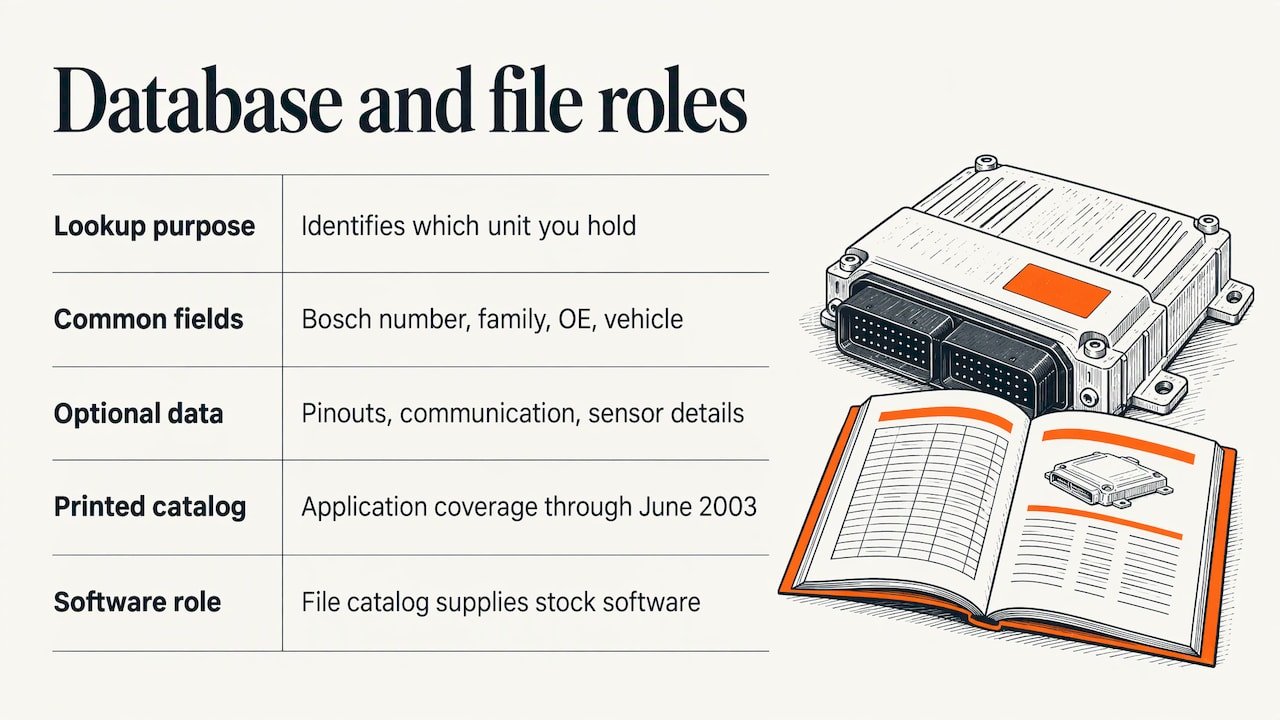
Typical fields in a lookup are the Bosch ECU number, the ECU family (for example a Motronic or EDC designation), the manufacturer or OE number, the vehicle brand and model, and sometimes a product image. Some vendors add pinouts, communication details and sensor information, but that is a feature of the individual product, not a standard every database follows.
The older printed and PDF catalogs work on the same logic. Bosch’s own vehicle-component application catalog for electronic fuel injection, covering systems through June 2003, lists the vehicle model, production date, engine type or code, vehicle series, number of cylinders, displacement, the engine-management system and the component listed for that application. That format is helpful because it separates similar-looking units by production period and engine, which is exactly where mistakes happen.
What none of these tools do is store the firmware inside your ECU. Identification and software are two different jobs. A database tells you which unit you hold; a file catalog supplies the stock software for that unit.
Reading the Bosch number first
The fastest path to a correct identification is the Bosch number, not the vehicle maker’s part number. Bosch Repair Service states that engine control unit numbers start with 028 or 026, and it recommends searching by the Bosch number first because manufacturer numbers are not always plausible. In practice, the same car brand can print several OE numbers across supersessions, while the Bosch number on the housing stays tied to the physical unit.
A few habits that save trouble:
- Photograph the whole label before you remove or open anything. Labels fade, and you may need the image later.
- Write down the complete string, including leading zeros. A single missing digit sends you to a different family.
- Note every number on the sticker, not just the biggest one. The Bosch number, OE number, HW and SW numbers each answer a different question.
- Read the ECU’s own identification with a diagnostic tool before removal when the unit still communicates. The label tells you what the unit was when it was built; the diagnostic readout can show what is currently installed.
Why the identifiers are not interchangeable
This is the part that causes most wrong purchases. One ECU can carry several identifiers, and each means something different:
| Identifier | What it tells you | Common mistake |
|---|---|---|
| Bosch number | The Bosch product number for the physical unit, usually starting 026 or 028 for engine ECUs | Searching only the vehicle maker’s number |
| OE / manufacturer number | The car maker’s part number for that application | Assuming one OE number equals one Bosch unit |
| Hardware (HW) number | The hardware revision of the board | Treating a matching family as a matching board |
| Software (SW) number | The software version loaded or intended for the unit | Assuming the SW on the label is what is currently flashed |
| Calibration ID | The calibration dataset within that software | Ignoring it when the SW number matches |
Two units with the same ECU family can still differ in hardware revision, software version and calibration. That is why a family name from a database is a starting point, and why our catalog lets you search by hardware number, software number and calibration ID, not only by brand and model.
How exact, prefix and wildcard searches work
Search syntax is specific to each database, not universal. One documented example from a Bosch ECU database product: you enter a hardware number such as 0261S10004, and the tool returns the ECU family (ME17.5.24 in that example) and the brand. The same product uses a question mark to replace a single character in a pattern like 02810?0001, and an asterisk for a prefix search like 0281001*.
The general approach is worth knowing even if your tool differs:
- Exact search when you have the full number and it reads cleanly.
- Wildcard for one character when a digit on the label is worn or unreadable. Try each plausible value rather than guessing one.
- Prefix search when you only know the start of the number and want to see which family it belongs to. This is also a quick way to see how many variants exist for one base number before you commit.
When a search returns nothing, the unit may simply be outside that database. Coverage varies between tools, historical coverage is often incomplete, and some tools label parts of their data as still to come. A blank result is not a statement that the ECU does not exist.
Using a lookup to see compatible vehicles and part numbers
Cross-reference rows can link a single Bosch number to several ECU families, vehicle brands and OE numbers. That shows possible applications and related part numbers, which helps when you are sourcing a replacement unit or checking what else shares a design.
It does not prove the unit will work in your car. Before treating two units as equivalent, check the current vehicle-maker catalog and service information for:
- VIN, engine code, model year and transmission
- Connector type, housing and power stage
- Emissions configuration
- Software version and immobilizer requirements
The vehicle-application layout in Bosch’s own catalog is the model here: production period, engine type, displacement and management system, side by side, so look-alike units are told apart by facts rather than by appearance.
From identification to the original file
Once you know what unit you have, the job changes from “what is this?” to “which stock file belongs to it?” That is where most technicians lose time: they have a family name and a Bosch number, but file listings are organized differently from reference databases.
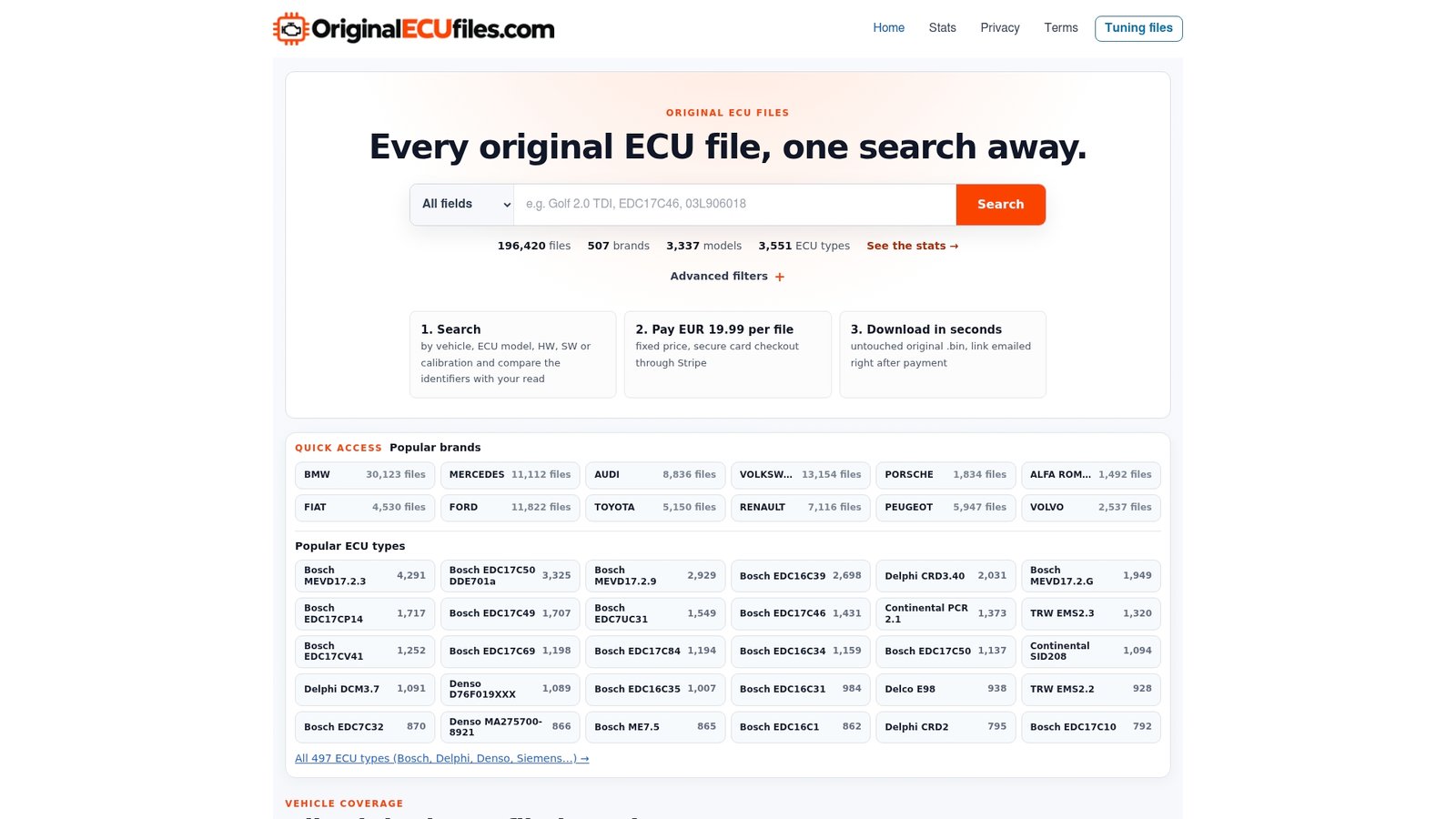
Our catalog is organized so you can come in from whichever identifier you have. You can search by vehicle brand, model and engine variant, by ECU manufacturer and ECU type, or by hardware number, software number and calibration ID. Brand pages such as Audi original ECU files and BMW original ECU files are a quick way into a large range, and the main database page lets you narrow by identifier.

We supply original, unmodified files only: no tuning maps and no modified software. The service is designed for professionals who need a stock software reference for ECU repair, software restoration, ECU replacement and diagnostics, and for tuning workshops that want a clean starting point.
A practical workflow
- Document the unit. Photograph the label, then read the diagnostic identification if the ECU still communicates.
- Identify it. Look up the Bosch number in a reference database to confirm the family, brand and OE number.
- Record the full identifier set. Bosch number, OE number, HW, SW and calibration ID.
- Search the file catalog by hardware, software and calibration ID, or by brand, model and engine variant.
- Compare before buying. Check that the hardware, software and calibration identifiers on the listing match what you recorded.
- Preserve what you have. Keep the data originally read from the unit before any write, so you always have a way back.
Verifying a match before you buy
A database result is a lead, not a verdict. A short verification routine prevents most problems:
- Compare the physical label with the diagnostic identification. If they disagree, find out why before moving on, since the unit may have been replaced or reprogrammed at some point.
- Check the vehicle in the current VIN-based catalog of the manufacturer.
- Confirm hardware and software numbers, plus connector and housing details.
- Plan for coding or immobilizer procedures if the job needs them, and make sure they are performed by someone authorized to do so.
- Be aware that scanning a binary dump for identifiers only finds printable strings. An empty result from a dump scan does not mean the data is absent.
We ask customers to verify hardware, software and calibration identifiers before purchasing, and our search is built around those same identifiers so the check is quick: you are comparing the numbers you recorded against the listing in front of you.
Where our catalog fits
A reference database answers identification questions and stops there. Our catalog starts where it ends. It holds over 196,000 original ECU files across more than 500 brands, covering passenger cars, commercial vehicles, motorcycles and agricultural machinery, so a workshop that sees Bosch units in a van on Monday and in a tractor on Tuesday can use the same search.
Pricing is simple: every file is a one-off €19.99, paid through secure Stripe checkout. The file arrives by email within seconds after payment, with no waiting on a quote and no subscription. For a shop that handles one-off recoveries, that per-file model means you pay only for the unit on your bench.
Start at the original ECU files database, enter the identifiers you recorded, and open the matching listing.
Common mistakes when identifying Bosch ECUs
Trusting the OE number alone. Manufacturer numbers are not always plausible, which is why Bosch points technicians to its own number first.
Mixing up SW and calibration. The software number and the calibration ID describe different layers. Record both.
Skipping the hardware number. Two boards with the same family name can be different revisions.
Treating a cross-reference as an approval. A row linking numbers shows a relationship, not that the unit fits your vehicle.
Searching with a worn digit as if it were certain. Use a wildcard for the unclear character and check every candidate.
Not recording the label. Once the unit is installed again or the sticker degrades, the evidence is gone.
Commercial vehicles, motorcycles and machinery
Bosch control units are not limited to passenger cars, and the habits above apply equally to trucks, motorcycles and agricultural equipment. The same logic holds: capture the full label, identify the family, and compare hardware, software and calibration before choosing a file. Our catalog covers these categories alongside cars, and brand pages such as Case original ECU files and BMC original ECU files show how the range extends beyond the usual car makes.
FAQ
Is a Bosch ECU database an official Bosch catalog?
Not necessarily. Most databases found online are third-party reference tools that map Bosch numbers to ECU families, vehicle brands and OE references. Bosch’s own repair service pages and printed application catalogs are the official sources, and they are worth checking against when the details matter.
Which number should I search first?
The Bosch number on the label. Engine control units from Bosch start with 028 or 026, and Bosch Repair Service recommends searching by that number because manufacturer numbers are not always reliable. Then record the OE, hardware, software and calibration identifiers as well.
Does a database match mean the ECU will work in my vehicle?
No. A match shows a relationship between numbers, not interchangeability. Verify VIN, engine, model year, transmission, connector, housing, emissions configuration, software and immobilizer requirements in the current vehicle-maker information.
Can I download the ECU software from a Bosch ECU database?
A reference database identifies the unit; it does not supply firmware. For the original file, search our catalog by hardware, software and calibration identifiers. Each file is €19.99 and is emailed within seconds after payment.
Do you sell tuned or modified files?
No. We supply only original, unmodified stock ECU files, designed for professionals doing repair, restoration, replacement and diagnostics.
Sources
- Bosch Repair Service: Engine Control Unit
- Bosch Electronic Fuel Injection ECU Vehicle Component Applications catalog